mirror of
https://github.com/HChaZZY/PiliPlus.git
synced 2025-12-24 19:16:44 +08:00
 37fb63c3b1
* opt: cache

* opt: MediaListPanel

* feat: nested replyreply panel

* tweaks

* opt: abstract class

* opt: PageStorageKey

* opt: contextExt

* opt: EpisodePanel

* opt

* opt: context instead GlobalKey

* feat: jump to reply

* refa: reply_reply

* fix: jump

* fix: index

* update

Signed-off-by: bggRGjQaUbCoE <githubaccount56556@proton.me>

* opt: keepalive

* reapply: nested replyreply

* mod: spacing

* opt: CommonSlidePageState

* fix drag bottomsheet

Signed-off-by: bggRGjQaUbCoE <githubaccount56556@proton.me>

* opt reply jump

Signed-off-by: bggRGjQaUbCoE <githubaccount56556@proton.me>

* opt reply2reply

Signed-off-by: bggRGjQaUbCoE <githubaccount56556@proton.me>

* tweaks

Signed-off-by: bggRGjQaUbCoE <githubaccount56556@proton.me>

* tweaks

Signed-off-by: bggRGjQaUbCoE <githubaccount56556@proton.me>

* reapply: jumpToReply

* fix: padding

* fix: anim

* fix some panels

Signed-off-by: bggRGjQaUbCoE <githubaccount56556@proton.me>

* opt: implements Scaffold

* opt: remove keepalive

* revert: GlobalKey

* tweaks

Signed-off-by: bggRGjQaUbCoE <githubaccount56556@proton.me>

---------

Co-authored-by: bggRGjQaUbCoE <githubaccount56556@proton.me>
3557 lines
129 KiB
Dart
3557 lines
129 KiB
Dart
// Copyright 2014 The Flutter Authors. All rights reserved.
|
|
// Use of this source code is governed by a BSD-style license that can be
|
|
// found in the LICENSE file.
|
|
|
|
// ignore_for_file: uri_does_not_exist_in_doc_import
|
|
|
|
/// @docImport 'package:flutter/services.dart';
|
|
///
|
|
/// @docImport 'app.dart';
|
|
/// @docImport 'bottom_app_bar.dart';
|
|
/// @docImport 'bottom_navigation_bar.dart';
|
|
/// @docImport 'bottom_sheet_theme.dart';
|
|
/// @docImport 'drawer_theme.dart';
|
|
/// @docImport 'icon_button.dart';
|
|
/// @docImport 'tab_controller.dart';
|
|
/// @docImport 'tabs.dart';
|
|
/// @docImport 'text_button.dart';
|
|
library;
|
|
|
|
import 'dart:async';
|
|
import 'dart:collection';
|
|
import 'dart:math' as math;
|
|
import 'dart:ui';
|
|
|
|
import 'package:PiliPlus/common/widgets/scaffold/bottom_sheet.dart';
|
|
import 'package:flutter/foundation.dart';
|
|
import 'package:flutter/gestures.dart' show DragStartBehavior;
|
|
import 'package:flutter/material.dart'
|
|
hide showBottomSheet, showModalBottomSheet, BottomSheet;
|
|
import 'package:flutter/material.dart' as material;
|
|
|
|
// Examples can assume:
|
|
// late TabController tabController;
|
|
// void setState(VoidCallback fn) { }
|
|
// late String appBarTitle;
|
|
// late int tabCount;
|
|
// late TickerProvider tickerProvider;
|
|
|
|
const FloatingActionButtonLocation _kDefaultFloatingActionButtonLocation =
|
|
FloatingActionButtonLocation.endFloat;
|
|
const FloatingActionButtonAnimator _kDefaultFloatingActionButtonAnimator =
|
|
FloatingActionButtonAnimator.scaling;
|
|
|
|
const Curve _standardBottomSheetCurve = standardEasing;
|
|
// When the top of the BottomSheet crosses this threshold, it will start to
|
|
// shrink the FAB and show a scrim.
|
|
const double _kBottomSheetDominatesPercentage = 0.3;
|
|
const double _kMinBottomSheetScrimOpacity = 0.1;
|
|
const double _kMaxBottomSheetScrimOpacity = 0.6;
|
|
|
|
enum _ScaffoldSlot {
|
|
body,
|
|
appBar,
|
|
bodyScrim,
|
|
bottomSheet,
|
|
snackBar,
|
|
materialBanner,
|
|
persistentFooter,
|
|
bottomNavigationBar,
|
|
floatingActionButton,
|
|
drawer,
|
|
endDrawer,
|
|
statusBar,
|
|
}
|
|
|
|
/// Manages [SnackBar]s and [MaterialBanner]s for descendant [Scaffold]s.
|
|
///
|
|
/// {@youtube 560 315 https://www.youtube.com/watch?v=lytQi-slT5Y}
|
|
///
|
|
/// This class provides APIs for showing snack bars and material banners at the
|
|
/// bottom and top of the screen, respectively.
|
|
///
|
|
/// To display one of these notifications, obtain the [ScaffoldMessengerState]
|
|
/// for the current [BuildContext] via [ScaffoldMessenger.of] and use the
|
|
/// [ScaffoldMessengerState.showSnackBar] or the
|
|
/// [ScaffoldMessengerState.showMaterialBanner] functions.
|
|
///
|
|
/// When the [ScaffoldMessenger] has nested [Scaffold] descendants, the
|
|
/// ScaffoldMessenger will only present the notification to the root Scaffold of
|
|
/// the subtree of Scaffolds. In order to show notifications for the inner, nested
|
|
/// Scaffolds, set a new scope by instantiating a new ScaffoldMessenger in
|
|
/// between the levels of nesting.
|
|
///
|
|
/// {@tool dartpad}
|
|
/// Here is an example of showing a [SnackBar] when the user presses a button.
|
|
///
|
|
/// ** See code in examples/api/lib/material/scaffold/scaffold_messenger.0.dart **
|
|
/// {@end-tool}
|
|
///
|
|
/// See also:
|
|
///
|
|
/// * [SnackBar], which is a temporary notification typically shown near the
|
|
/// bottom of the app using the [ScaffoldMessengerState.showSnackBar] method.
|
|
/// * [MaterialBanner], which is a temporary notification typically shown at the
|
|
/// top of the app using the [ScaffoldMessengerState.showMaterialBanner] method.
|
|
/// * [debugCheckHasScaffoldMessenger], which asserts that the given context
|
|
/// has a [ScaffoldMessenger] ancestor.
|
|
/// * Cookbook: [Display a SnackBar](https://docs.flutter.dev/cookbook/design/snackbars)
|
|
class ScaffoldMessenger extends StatefulWidget {
|
|
/// Creates a widget that manages [SnackBar]s for [Scaffold] descendants.
|
|
const ScaffoldMessenger({super.key, required this.child});
|
|
|
|
/// The widget below this widget in the tree.
|
|
///
|
|
/// {@macro flutter.widgets.ProxyWidget.child}
|
|
final Widget child;
|
|
|
|
/// The state from the closest instance of this class that encloses the given
|
|
/// context.
|
|
///
|
|
/// {@tool dartpad}
|
|
/// Typical usage of the [ScaffoldMessenger.of] function is to call it in
|
|
/// response to a user gesture or an application state change.
|
|
///
|
|
/// ** See code in examples/api/lib/material/scaffold/scaffold_messenger.of.0.dart **
|
|
/// {@end-tool}
|
|
///
|
|
/// A less elegant but more expedient solution is to assign a [GlobalKey] to the
|
|
/// [ScaffoldMessenger], then use the `key.currentState` property to obtain the
|
|
/// [ScaffoldMessengerState] rather than using the [ScaffoldMessenger.of]
|
|
/// function. The [MaterialApp.scaffoldMessengerKey] refers to the root
|
|
/// ScaffoldMessenger that is provided by default.
|
|
///
|
|
/// {@tool dartpad}
|
|
/// Sometimes [SnackBar]s are produced by code that doesn't have ready access
|
|
/// to a valid [BuildContext]. One such example of this is when you show a
|
|
/// SnackBar from a method outside of the `build` function. In these
|
|
/// cases, you can assign a [GlobalKey] to the [ScaffoldMessenger]. This
|
|
/// example shows a key being used to obtain the [ScaffoldMessengerState]
|
|
/// provided by the [MaterialApp].
|
|
///
|
|
/// ** See code in examples/api/lib/material/scaffold/scaffold_messenger.of.1.dart **
|
|
/// {@end-tool}
|
|
///
|
|
/// If there is no [ScaffoldMessenger] in scope, then this will assert in
|
|
/// debug mode, and throw an exception in release mode.
|
|
///
|
|
/// See also:
|
|
///
|
|
/// * [maybeOf], which is a similar function but will return null instead of
|
|
/// throwing if there is no [ScaffoldMessenger] ancestor.
|
|
/// * [debugCheckHasScaffoldMessenger], which asserts that the given context
|
|
/// has a [ScaffoldMessenger] ancestor.
|
|
static ScaffoldMessengerState of(BuildContext context) {
|
|
assert(debugCheckHasScaffoldMessenger(context));
|
|
|
|
final _ScaffoldMessengerScope scope = context
|
|
.dependOnInheritedWidgetOfExactType<_ScaffoldMessengerScope>()!;
|
|
return scope._scaffoldMessengerState;
|
|
}
|
|
|
|
/// The state from the closest instance of this class that encloses the given
|
|
/// context, if any.
|
|
///
|
|
/// Will return null if a [ScaffoldMessenger] is not found in the given context.
|
|
///
|
|
/// See also:
|
|
///
|
|
/// * [of], which is a similar function, except that it will throw an
|
|
/// exception if a [ScaffoldMessenger] is not found in the given context.
|
|
static ScaffoldMessengerState? maybeOf(BuildContext context) {
|
|
final _ScaffoldMessengerScope? scope = context
|
|
.dependOnInheritedWidgetOfExactType<_ScaffoldMessengerScope>();
|
|
return scope?._scaffoldMessengerState;
|
|
}
|
|
|
|
@override
|
|
ScaffoldMessengerState createState() => ScaffoldMessengerState();
|
|
}
|
|
|
|
/// State for a [ScaffoldMessenger].
|
|
///
|
|
/// A [ScaffoldMessengerState] object can be used to [showSnackBar] or
|
|
/// [showMaterialBanner] for every registered [Scaffold] that is a descendant of
|
|
/// the associated [ScaffoldMessenger]. Scaffolds will register to receive
|
|
/// [SnackBar]s and [MaterialBanner]s from their closest ScaffoldMessenger
|
|
/// ancestor.
|
|
///
|
|
/// Typically obtained via [ScaffoldMessenger.of].
|
|
class ScaffoldMessengerState extends State<ScaffoldMessenger>
|
|
with TickerProviderStateMixin {
|
|
final LinkedHashSet<ScaffoldState> _scaffolds =
|
|
LinkedHashSet<ScaffoldState>();
|
|
final Queue<
|
|
ScaffoldFeatureController<MaterialBanner, MaterialBannerClosedReason>
|
|
>
|
|
_materialBanners =
|
|
Queue<
|
|
ScaffoldFeatureController<MaterialBanner, MaterialBannerClosedReason>
|
|
>();
|
|
AnimationController? _materialBannerController;
|
|
final Queue<ScaffoldFeatureController<SnackBar, SnackBarClosedReason>>
|
|
_snackBars =
|
|
Queue<ScaffoldFeatureController<SnackBar, SnackBarClosedReason>>();
|
|
AnimationController? _snackBarController;
|
|
Timer? _snackBarTimer;
|
|
bool? _accessibleNavigation;
|
|
|
|
@protected
|
|
@override
|
|
void didChangeDependencies() {
|
|
final bool accessibleNavigation = MediaQuery.accessibleNavigationOf(
|
|
context,
|
|
);
|
|
// If we transition from accessible navigation to non-accessible navigation
|
|
// and there is a SnackBar that would have timed out that has already
|
|
// completed its timer, dismiss that SnackBar. If the timer hasn't finished
|
|
// yet, let it timeout as normal.
|
|
if ((_accessibleNavigation ?? false) &&
|
|
!accessibleNavigation &&
|
|
_snackBarTimer != null &&
|
|
!_snackBarTimer!.isActive) {
|
|
hideCurrentSnackBar(reason: SnackBarClosedReason.timeout);
|
|
}
|
|
_accessibleNavigation = accessibleNavigation;
|
|
super.didChangeDependencies();
|
|
}
|
|
|
|
void _register(ScaffoldState scaffold) {
|
|
_scaffolds.add(scaffold);
|
|
|
|
if (_isRoot(scaffold)) {
|
|
if (_snackBars.isNotEmpty) {
|
|
scaffold._updateSnackBar();
|
|
}
|
|
|
|
if (_materialBanners.isNotEmpty) {
|
|
scaffold._updateMaterialBanner();
|
|
}
|
|
}
|
|
}
|
|
|
|
void _unregister(ScaffoldState scaffold) {
|
|
final bool removed = _scaffolds.remove(scaffold);
|
|
// ScaffoldStates should only be removed once.
|
|
assert(removed);
|
|
}
|
|
|
|
void _updateScaffolds() {
|
|
for (final ScaffoldState scaffold in _scaffolds) {
|
|
if (_isRoot(scaffold)) {
|
|
scaffold._updateSnackBar();
|
|
scaffold._updateMaterialBanner();
|
|
}
|
|
}
|
|
}
|
|
|
|
// Nested Scaffolds are handled by the ScaffoldMessenger by only presenting a
|
|
// MaterialBanner or SnackBar in the root Scaffold of the nested set.
|
|
bool _isRoot(ScaffoldState scaffold) {
|
|
final ScaffoldState? parent = scaffold.context
|
|
.findAncestorStateOfType<ScaffoldState>();
|
|
return parent == null || !_scaffolds.contains(parent);
|
|
}
|
|
|
|
// SNACKBAR API
|
|
|
|
/// Shows a [SnackBar] across all registered [Scaffold]s. Scaffolds register
|
|
/// to receive snack bars from their closest [ScaffoldMessenger] ancestor.
|
|
/// If there are several registered scaffolds the snack bar is shown
|
|
/// simultaneously on all of them.
|
|
///
|
|
/// A scaffold can show at most one snack bar at a time. If this function is
|
|
/// called while another snack bar is already visible, the given snack bar
|
|
/// will be added to a queue and displayed after the earlier snack bars have
|
|
/// closed.
|
|
///
|
|
/// To control how long a [SnackBar] remains visible, use [SnackBar.duration].
|
|
///
|
|
/// To remove the [SnackBar] with an exit animation, use [hideCurrentSnackBar]
|
|
/// or call [ScaffoldFeatureController.close] on the returned
|
|
/// [ScaffoldFeatureController]. To remove a [SnackBar] suddenly (without an
|
|
/// animation), use [removeCurrentSnackBar].
|
|
///
|
|
/// See [ScaffoldMessenger.of] for information about how to obtain the
|
|
/// [ScaffoldMessengerState].
|
|
///
|
|
/// {@tool dartpad}
|
|
/// Here is an example of showing a [SnackBar] when the user presses a button.
|
|
///
|
|
/// ** See code in examples/api/lib/material/scaffold/scaffold_messenger_state.show_snack_bar.0.dart **
|
|
/// {@end-tool}
|
|
///
|
|
/// ## Relative positioning of floating SnackBars
|
|
///
|
|
/// A [SnackBar] with [SnackBar.behavior] set to [SnackBarBehavior.floating] is
|
|
/// positioned above the widgets provided to [Scaffold.floatingActionButton],
|
|
/// [Scaffold.persistentFooterButtons], and [Scaffold.bottomNavigationBar].
|
|
/// If some or all of these widgets take up enough space such that the SnackBar
|
|
/// would not be visible when positioned above them, an error will be thrown.
|
|
/// In this case, consider constraining the size of these widgets to allow room for
|
|
/// the SnackBar to be visible.
|
|
///
|
|
/// {@tool dartpad}
|
|
/// Here is an example showing how to display a [SnackBar] with [showSnackBar]
|
|
///
|
|
/// ** See code in examples/api/lib/material/scaffold/scaffold_messenger_state.show_snack_bar.0.dart **
|
|
/// {@end-tool}
|
|
///
|
|
/// {@tool dartpad}
|
|
/// Here is an example showing that a floating [SnackBar] appears above [Scaffold.floatingActionButton].
|
|
///
|
|
/// ** See code in examples/api/lib/material/scaffold/scaffold_messenger_state.show_snack_bar.1.dart **
|
|
/// {@end-tool}
|
|
///
|
|
/// If [AnimationStyle.duration] is provided in the [snackBarAnimationStyle]
|
|
/// parameter, it will be used to override the snackbar show animation duration.
|
|
/// Otherwise, defaults to 250ms.
|
|
///
|
|
/// If [AnimationStyle.reverseDuration] is provided in the [snackBarAnimationStyle]
|
|
/// parameter, it will be used to override the snackbar hide animation duration.
|
|
/// Otherwise, defaults to 250ms.
|
|
///
|
|
/// To disable the snackbar animation, use [AnimationStyle.noAnimation].
|
|
///
|
|
/// {@tool dartpad}
|
|
/// This sample showcases how to override [SnackBar] show and hide animation
|
|
/// duration using [AnimationStyle] in [ScaffoldMessengerState.showSnackBar].
|
|
///
|
|
/// ** See code in examples/api/lib/material/scaffold/scaffold_messenger_state.show_snack_bar.2.dart **
|
|
/// {@end-tool}
|
|
///
|
|
ScaffoldFeatureController<SnackBar, SnackBarClosedReason> showSnackBar(
|
|
SnackBar snackBar, {
|
|
AnimationStyle? snackBarAnimationStyle,
|
|
}) {
|
|
assert(
|
|
_scaffolds.isNotEmpty,
|
|
'ScaffoldMessenger.showSnackBar was called, but there are currently no '
|
|
'descendant Scaffolds to present to.',
|
|
);
|
|
_didUpdateAnimationStyle(snackBarAnimationStyle);
|
|
_snackBarController ??= SnackBar.createAnimationController(
|
|
duration: snackBarAnimationStyle?.duration,
|
|
reverseDuration: snackBarAnimationStyle?.reverseDuration,
|
|
vsync: this,
|
|
)..addStatusListener(_handleSnackBarStatusChanged);
|
|
if (_snackBars.isEmpty) {
|
|
assert(_snackBarController!.isDismissed);
|
|
_snackBarController!.forward();
|
|
}
|
|
late ScaffoldFeatureController<SnackBar, SnackBarClosedReason> controller;
|
|
controller = ScaffoldFeatureController<SnackBar, SnackBarClosedReason>._(
|
|
// We provide a fallback key so that if back-to-back snackbars happen to
|
|
// match in structure, material ink splashes and highlights don't survive
|
|
// from one to the next.
|
|
snackBar.withAnimation(_snackBarController!, fallbackKey: UniqueKey()),
|
|
Completer<SnackBarClosedReason>(),
|
|
() {
|
|
assert(_snackBars.first == controller);
|
|
hideCurrentSnackBar();
|
|
},
|
|
null, // SnackBar doesn't use a builder function so setState() wouldn't rebuild it
|
|
);
|
|
try {
|
|
setState(() {
|
|
_snackBars.addLast(controller);
|
|
});
|
|
_updateScaffolds();
|
|
} catch (exception) {
|
|
assert(() {
|
|
if (exception is FlutterError) {
|
|
final String summary = exception.diagnostics.first.toDescription();
|
|
if (summary ==
|
|
'setState() or markNeedsBuild() called during build.') {
|
|
final List<DiagnosticsNode> information = <DiagnosticsNode>[
|
|
ErrorSummary(
|
|
'The showSnackBar() method cannot be called during build.',
|
|
),
|
|
ErrorDescription(
|
|
'The showSnackBar() method was called during build, which is '
|
|
'prohibited as showing snack bars requires updating state. Updating '
|
|
'state is not possible during build.',
|
|
),
|
|
ErrorHint(
|
|
'Instead of calling showSnackBar() during build, call it directly '
|
|
'in your on tap (and related) callbacks. If you need to immediately '
|
|
'show a snack bar, make the call in initState() or '
|
|
'didChangeDependencies() instead. Otherwise, you can also schedule a '
|
|
'post-frame callback using SchedulerBinding.addPostFrameCallback to '
|
|
'show the snack bar after the current frame.',
|
|
),
|
|
context.describeOwnershipChain(
|
|
'The ownership chain for the particular ScaffoldMessenger is',
|
|
),
|
|
];
|
|
throw FlutterError.fromParts(information);
|
|
}
|
|
}
|
|
return true;
|
|
}());
|
|
rethrow;
|
|
}
|
|
|
|
return controller;
|
|
}
|
|
|
|
void _didUpdateAnimationStyle(AnimationStyle? snackBarAnimationStyle) {
|
|
if (snackBarAnimationStyle != null) {
|
|
if (_snackBarController?.duration != snackBarAnimationStyle.duration ||
|
|
_snackBarController?.reverseDuration !=
|
|
snackBarAnimationStyle.reverseDuration) {
|
|
_snackBarController?.dispose();
|
|
_snackBarController = null;
|
|
}
|
|
}
|
|
}
|
|
|
|
void _handleSnackBarStatusChanged(AnimationStatus status) {
|
|
switch (status) {
|
|
case AnimationStatus.dismissed:
|
|
assert(_snackBars.isNotEmpty);
|
|
setState(() {
|
|
_snackBars.removeFirst();
|
|
});
|
|
_updateScaffolds();
|
|
if (_snackBars.isNotEmpty) {
|
|
_snackBarController!.forward();
|
|
}
|
|
case AnimationStatus.completed:
|
|
setState(() {
|
|
assert(_snackBarTimer == null);
|
|
// build will create a new timer if necessary to dismiss the snackBar.
|
|
});
|
|
_updateScaffolds();
|
|
case AnimationStatus.forward:
|
|
case AnimationStatus.reverse:
|
|
break;
|
|
}
|
|
}
|
|
|
|
/// Removes the current [SnackBar] (if any) immediately from registered
|
|
/// [Scaffold]s.
|
|
///
|
|
/// The removed snack bar does not run its normal exit animation. If there are
|
|
/// any queued snack bars, they begin their entrance animation immediately.
|
|
void removeCurrentSnackBar({
|
|
SnackBarClosedReason reason = SnackBarClosedReason.remove,
|
|
}) {
|
|
if (_snackBars.isEmpty) {
|
|
return;
|
|
}
|
|
final Completer<SnackBarClosedReason> completer =
|
|
_snackBars.first._completer;
|
|
if (!completer.isCompleted) {
|
|
completer.complete(reason);
|
|
}
|
|
_snackBarTimer?.cancel();
|
|
_snackBarTimer = null;
|
|
// This will trigger the animation's status callback.
|
|
_snackBarController!.value = 0.0;
|
|
}
|
|
|
|
/// Removes the current [SnackBar] by running its normal exit animation.
|
|
///
|
|
/// The closed completer is called after the animation is complete.
|
|
void hideCurrentSnackBar({
|
|
SnackBarClosedReason reason = SnackBarClosedReason.hide,
|
|
}) {
|
|
if (_snackBars.isEmpty || _snackBarController!.isDismissed) {
|
|
return;
|
|
}
|
|
final Completer<SnackBarClosedReason> completer =
|
|
_snackBars.first._completer;
|
|
if (_accessibleNavigation!) {
|
|
_snackBarController!.value = 0.0;
|
|
completer.complete(reason);
|
|
} else {
|
|
_snackBarController!.reverse().then<void>((void value) {
|
|
assert(mounted);
|
|
if (!completer.isCompleted) {
|
|
completer.complete(reason);
|
|
}
|
|
});
|
|
}
|
|
_snackBarTimer?.cancel();
|
|
_snackBarTimer = null;
|
|
}
|
|
|
|
/// Removes all the snackBars currently in queue by clearing the queue
|
|
/// and running normal exit animation on the current snackBar.
|
|
void clearSnackBars() {
|
|
if (_snackBars.isEmpty || _snackBarController!.isDismissed) {
|
|
return;
|
|
}
|
|
final ScaffoldFeatureController<SnackBar, SnackBarClosedReason>
|
|
currentSnackbar = _snackBars.first;
|
|
_snackBars.clear();
|
|
_snackBars.add(currentSnackbar);
|
|
hideCurrentSnackBar();
|
|
}
|
|
|
|
// MATERIAL BANNER API
|
|
|
|
/// Shows a [MaterialBanner] across all registered [Scaffold]s. Scaffolds register
|
|
/// to receive material banners from their closest [ScaffoldMessenger] ancestor.
|
|
/// If there are several registered scaffolds the material banner is shown
|
|
/// simultaneously on all of them.
|
|
///
|
|
/// A scaffold can show at most one material banner at a time. If this function is
|
|
/// called while another material banner is already visible, the given material banner
|
|
/// will be added to a queue and displayed after the earlier material banners have
|
|
/// closed.
|
|
///
|
|
/// To remove the [MaterialBanner] with an exit animation, use [hideCurrentMaterialBanner]
|
|
/// or call [ScaffoldFeatureController.close] on the returned
|
|
/// [ScaffoldFeatureController]. To remove a [MaterialBanner] suddenly (without an
|
|
/// animation), use [removeCurrentMaterialBanner].
|
|
///
|
|
/// See [ScaffoldMessenger.of] for information about how to obtain the
|
|
/// [ScaffoldMessengerState].
|
|
///
|
|
/// {@tool dartpad}
|
|
/// Here is an example of showing a [MaterialBanner] when the user presses a button.
|
|
///
|
|
/// ** See code in examples/api/lib/material/scaffold/scaffold_messenger_state.show_material_banner.0.dart **
|
|
/// {@end-tool}
|
|
ScaffoldFeatureController<MaterialBanner, MaterialBannerClosedReason>
|
|
showMaterialBanner(
|
|
MaterialBanner materialBanner,
|
|
) {
|
|
assert(
|
|
_scaffolds.isNotEmpty,
|
|
'ScaffoldMessenger.showMaterialBanner was called, but there are currently no '
|
|
'descendant Scaffolds to present to.',
|
|
);
|
|
_materialBannerController ??= MaterialBanner.createAnimationController(
|
|
vsync: this,
|
|
)..addStatusListener(_handleMaterialBannerStatusChanged);
|
|
if (_materialBanners.isEmpty) {
|
|
assert(_materialBannerController!.isDismissed);
|
|
_materialBannerController!.forward();
|
|
}
|
|
late ScaffoldFeatureController<MaterialBanner, MaterialBannerClosedReason>
|
|
controller;
|
|
controller = ScaffoldFeatureController<MaterialBanner, MaterialBannerClosedReason>._(
|
|
// We provide a fallback key so that if back-to-back material banners happen to
|
|
// match in structure, material ink splashes and highlights don't survive
|
|
// from one to the next.
|
|
materialBanner.withAnimation(
|
|
_materialBannerController!,
|
|
fallbackKey: UniqueKey(),
|
|
),
|
|
Completer<MaterialBannerClosedReason>(),
|
|
() {
|
|
assert(_materialBanners.first == controller);
|
|
hideCurrentMaterialBanner();
|
|
},
|
|
null, // MaterialBanner doesn't use a builder function so setState() wouldn't rebuild it
|
|
);
|
|
setState(() {
|
|
_materialBanners.addLast(controller);
|
|
});
|
|
_updateScaffolds();
|
|
return controller;
|
|
}
|
|
|
|
void _handleMaterialBannerStatusChanged(AnimationStatus status) {
|
|
switch (status) {
|
|
case AnimationStatus.dismissed:
|
|
assert(_materialBanners.isNotEmpty);
|
|
setState(() {
|
|
_materialBanners.removeFirst();
|
|
});
|
|
_updateScaffolds();
|
|
if (_materialBanners.isNotEmpty) {
|
|
_materialBannerController!.forward();
|
|
}
|
|
case AnimationStatus.completed:
|
|
_updateScaffolds();
|
|
case AnimationStatus.forward:
|
|
case AnimationStatus.reverse:
|
|
break;
|
|
}
|
|
}
|
|
|
|
/// Removes the current [MaterialBanner] (if any) immediately from registered
|
|
/// [Scaffold]s.
|
|
///
|
|
/// The removed material banner does not run its normal exit animation. If there are
|
|
/// any queued material banners, they begin their entrance animation immediately.
|
|
void removeCurrentMaterialBanner({
|
|
MaterialBannerClosedReason reason = MaterialBannerClosedReason.remove,
|
|
}) {
|
|
if (_materialBanners.isEmpty) {
|
|
return;
|
|
}
|
|
final Completer<MaterialBannerClosedReason> completer =
|
|
_materialBanners.first._completer;
|
|
if (!completer.isCompleted) {
|
|
completer.complete(reason);
|
|
}
|
|
|
|
// This will trigger the animation's status callback.
|
|
_materialBannerController!.value = 0.0;
|
|
}
|
|
|
|
/// Removes the current [MaterialBanner] by running its normal exit animation.
|
|
///
|
|
/// The closed completer is called after the animation is complete.
|
|
void hideCurrentMaterialBanner({
|
|
MaterialBannerClosedReason reason = MaterialBannerClosedReason.hide,
|
|
}) {
|
|
if (_materialBanners.isEmpty || _materialBannerController!.isDismissed) {
|
|
return;
|
|
}
|
|
final Completer<MaterialBannerClosedReason> completer =
|
|
_materialBanners.first._completer;
|
|
if (_accessibleNavigation!) {
|
|
_materialBannerController!.value = 0.0;
|
|
completer.complete(reason);
|
|
} else {
|
|
_materialBannerController!.reverse().then<void>((void value) {
|
|
assert(mounted);
|
|
if (!completer.isCompleted) {
|
|
completer.complete(reason);
|
|
}
|
|
});
|
|
}
|
|
}
|
|
|
|
/// Removes all the [MaterialBanner]s currently in queue by clearing the queue
|
|
/// and running normal exit animation on the current [MaterialBanner].
|
|
void clearMaterialBanners() {
|
|
if (_materialBanners.isEmpty || _materialBannerController!.isDismissed) {
|
|
return;
|
|
}
|
|
final ScaffoldFeatureController<MaterialBanner, MaterialBannerClosedReason>
|
|
currentMaterialBanner = _materialBanners.first;
|
|
_materialBanners.clear();
|
|
_materialBanners.add(currentMaterialBanner);
|
|
hideCurrentMaterialBanner();
|
|
}
|
|
|
|
@protected
|
|
@override
|
|
Widget build(BuildContext context) {
|
|
assert(debugCheckHasMediaQuery(context));
|
|
_accessibleNavigation = MediaQuery.accessibleNavigationOf(context);
|
|
|
|
if (_snackBars.isNotEmpty) {
|
|
final ModalRoute<dynamic>? route = ModalRoute.of(context);
|
|
if (route == null || route.isCurrent) {
|
|
if (_snackBarController!.isCompleted && _snackBarTimer == null) {
|
|
final SnackBar snackBar = _snackBars.first._widget;
|
|
_snackBarTimer = Timer(snackBar.duration, () {
|
|
assert(_snackBarController!.isForwardOrCompleted);
|
|
// Look up MediaQuery again in case the setting changed.
|
|
if (snackBar.action != null &&
|
|
MediaQuery.accessibleNavigationOf(context)) {
|
|
return;
|
|
}
|
|
hideCurrentSnackBar(reason: SnackBarClosedReason.timeout);
|
|
});
|
|
}
|
|
}
|
|
}
|
|
|
|
return _ScaffoldMessengerScope(
|
|
scaffoldMessengerState: this,
|
|
child: widget.child,
|
|
);
|
|
}
|
|
|
|
@protected
|
|
@override
|
|
void dispose() {
|
|
_materialBannerController?.dispose();
|
|
_snackBarController?.dispose();
|
|
_snackBarTimer?.cancel();
|
|
_snackBarTimer = null;
|
|
super.dispose();
|
|
}
|
|
}
|
|
|
|
class _ScaffoldMessengerScope extends InheritedWidget {
|
|
const _ScaffoldMessengerScope({
|
|
required super.child,
|
|
required ScaffoldMessengerState scaffoldMessengerState,
|
|
}) : _scaffoldMessengerState = scaffoldMessengerState;
|
|
|
|
final ScaffoldMessengerState _scaffoldMessengerState;
|
|
|
|
@override
|
|
bool updateShouldNotify(_ScaffoldMessengerScope old) =>
|
|
_scaffoldMessengerState != old._scaffoldMessengerState;
|
|
}
|
|
|
|
/// A snapshot of a transition between two [FloatingActionButtonLocation]s.
|
|
///
|
|
/// [ScaffoldState] uses this to seamlessly change transition animations
|
|
/// when a running [FloatingActionButtonLocation] transition is interrupted by a new transition.
|
|
@immutable
|
|
class _TransitionSnapshotFabLocation extends FloatingActionButtonLocation {
|
|
const _TransitionSnapshotFabLocation(
|
|
this.begin,
|
|
this.end,
|
|
this.animator,
|
|
this.progress,
|
|
);
|
|
|
|
final FloatingActionButtonLocation begin;
|
|
final FloatingActionButtonLocation end;
|
|
final FloatingActionButtonAnimator animator;
|
|
final double progress;
|
|
|
|
@override
|
|
Offset getOffset(ScaffoldPrelayoutGeometry scaffoldGeometry) {
|
|
return animator.getOffset(
|
|
begin: begin.getOffset(scaffoldGeometry),
|
|
end: end.getOffset(scaffoldGeometry),
|
|
progress: progress,
|
|
);
|
|
}
|
|
|
|
@override
|
|
String toString() {
|
|
return '${objectRuntimeType(this, '_TransitionSnapshotFabLocation')}(begin: $begin, end: $end, progress: $progress)';
|
|
}
|
|
}
|
|
|
|
/// Geometry information for [Scaffold] components after layout is finished.
|
|
///
|
|
/// To get a [ValueNotifier] for the scaffold geometry of a given
|
|
/// [BuildContext], use [Scaffold.geometryOf].
|
|
///
|
|
/// The ScaffoldGeometry is only available during the paint phase, because
|
|
/// its value is computed during the animation and layout phases prior to painting.
|
|
///
|
|
/// For an example of using the [ScaffoldGeometry], see the [BottomAppBar],
|
|
/// which uses the [ScaffoldGeometry] to paint a notch around the
|
|
/// [FloatingActionButton].
|
|
///
|
|
/// For information about the [Scaffold]'s geometry that is used while laying
|
|
/// out the [FloatingActionButton], see [ScaffoldPrelayoutGeometry].
|
|
@immutable
|
|
class ScaffoldGeometry {
|
|
/// Create an object that describes the geometry of a [Scaffold].
|
|
const ScaffoldGeometry({
|
|
this.bottomNavigationBarTop,
|
|
this.floatingActionButtonArea,
|
|
});
|
|
|
|
/// The distance from the [Scaffold]'s top edge to the top edge of the
|
|
/// rectangle in which the [Scaffold.bottomNavigationBar] bar is laid out.
|
|
///
|
|
/// Null if [Scaffold.bottomNavigationBar] is null.
|
|
final double? bottomNavigationBarTop;
|
|
|
|
/// The [Scaffold.floatingActionButton]'s bounding rectangle.
|
|
///
|
|
/// This is null when there is no floating action button showing.
|
|
final Rect? floatingActionButtonArea;
|
|
|
|
ScaffoldGeometry _scaleFloatingActionButton(double scaleFactor) {
|
|
if (scaleFactor == 1.0) {
|
|
return this;
|
|
}
|
|
|
|
if (scaleFactor == 0.0) {
|
|
return ScaffoldGeometry(bottomNavigationBarTop: bottomNavigationBarTop);
|
|
}
|
|
|
|
final Rect scaledButton = Rect.lerp(
|
|
floatingActionButtonArea!.center & Size.zero,
|
|
floatingActionButtonArea,
|
|
scaleFactor,
|
|
)!;
|
|
return copyWith(floatingActionButtonArea: scaledButton);
|
|
}
|
|
|
|
/// Creates a copy of this [ScaffoldGeometry] but with the given fields replaced with
|
|
/// the new values.
|
|
ScaffoldGeometry copyWith({
|
|
double? bottomNavigationBarTop,
|
|
Rect? floatingActionButtonArea,
|
|
}) {
|
|
return ScaffoldGeometry(
|
|
bottomNavigationBarTop:
|
|
bottomNavigationBarTop ?? this.bottomNavigationBarTop,
|
|
floatingActionButtonArea:
|
|
floatingActionButtonArea ?? this.floatingActionButtonArea,
|
|
);
|
|
}
|
|
}
|
|
|
|
class _ScaffoldGeometryNotifier extends ChangeNotifier
|
|
implements ValueListenable<ScaffoldGeometry> {
|
|
_ScaffoldGeometryNotifier(this.geometry, this.context);
|
|
|
|
final BuildContext context;
|
|
double? floatingActionButtonScale;
|
|
ScaffoldGeometry geometry;
|
|
|
|
@override
|
|
ScaffoldGeometry get value {
|
|
assert(() {
|
|
final RenderObject? renderObject = context.findRenderObject();
|
|
if (renderObject == null || !renderObject.owner!.debugDoingPaint) {
|
|
throw FlutterError(
|
|
'Scaffold.geometryOf() must only be accessed during the paint phase.\n'
|
|
'The ScaffoldGeometry is only available during the paint phase, because '
|
|
'its value is computed during the animation and layout phases prior to painting.',
|
|
);
|
|
}
|
|
return true;
|
|
}());
|
|
return geometry._scaleFloatingActionButton(floatingActionButtonScale!);
|
|
}
|
|
|
|
void _updateWith({
|
|
double? bottomNavigationBarTop,
|
|
Rect? floatingActionButtonArea,
|
|
double? floatingActionButtonScale,
|
|
}) {
|
|
this.floatingActionButtonScale =
|
|
floatingActionButtonScale ?? this.floatingActionButtonScale;
|
|
geometry = geometry.copyWith(
|
|
bottomNavigationBarTop: bottomNavigationBarTop,
|
|
floatingActionButtonArea: floatingActionButtonArea,
|
|
);
|
|
notifyListeners();
|
|
}
|
|
}
|
|
|
|
// Used to communicate the height of the Scaffold's bottomNavigationBar and
|
|
// persistentFooterButtons to the LayoutBuilder which builds the Scaffold's body.
|
|
//
|
|
// Scaffold expects a _BodyBoxConstraints to be passed to the _BodyBuilder
|
|
// widget's LayoutBuilder, see _ScaffoldLayout.performLayout(). The BoxConstraints
|
|
// methods that construct new BoxConstraints objects, like copyWith() have not
|
|
// been overridden here because we expect the _BodyBoxConstraintsObject to be
|
|
// passed along unmodified to the LayoutBuilder. If that changes in the future
|
|
// then _BodyBuilder will assert.
|
|
class _BodyBoxConstraints extends BoxConstraints {
|
|
const _BodyBoxConstraints({
|
|
super.maxWidth,
|
|
super.maxHeight,
|
|
required this.bottomWidgetsHeight,
|
|
required this.appBarHeight,
|
|
required this.materialBannerHeight,
|
|
}) : assert(bottomWidgetsHeight >= 0),
|
|
assert(appBarHeight >= 0),
|
|
assert(materialBannerHeight >= 0);
|
|
|
|
final double bottomWidgetsHeight;
|
|
final double appBarHeight;
|
|
final double materialBannerHeight;
|
|
|
|
// RenderObject.layout() will only short-circuit its call to its performLayout
|
|
// method if the new layout constraints are not == to the current constraints.
|
|
// If the height of the bottom widgets has changed, even though the constraints'
|
|
// min and max values have not, we still want performLayout to happen.
|
|
@override
|
|
bool operator ==(Object other) {
|
|
if (super != other) {
|
|
return false;
|
|
}
|
|
return other is _BodyBoxConstraints &&
|
|
other.materialBannerHeight == materialBannerHeight &&
|
|
other.bottomWidgetsHeight == bottomWidgetsHeight &&
|
|
other.appBarHeight == appBarHeight;
|
|
}
|
|
|
|
@override
|
|
int get hashCode => Object.hash(
|
|
super.hashCode,
|
|
materialBannerHeight,
|
|
bottomWidgetsHeight,
|
|
appBarHeight,
|
|
);
|
|
}
|
|
|
|
// Used when Scaffold.extendBody is true to wrap the scaffold's body in a MediaQuery
|
|
// whose padding accounts for the height of the bottomNavigationBar and/or the
|
|
// persistentFooterButtons.
|
|
//
|
|
// The bottom widgets' height is passed along via the _BodyBoxConstraints parameter.
|
|
// The constraints parameter is constructed in_ScaffoldLayout.performLayout().
|
|
class _BodyBuilder extends StatelessWidget {
|
|
const _BodyBuilder({
|
|
required this.extendBody,
|
|
required this.extendBodyBehindAppBar,
|
|
required this.body,
|
|
});
|
|
|
|
final Widget body;
|
|
final bool extendBody;
|
|
final bool extendBodyBehindAppBar;
|
|
|
|
@override
|
|
Widget build(BuildContext context) {
|
|
if (!extendBody && !extendBodyBehindAppBar) {
|
|
return body;
|
|
}
|
|
|
|
return LayoutBuilder(
|
|
builder: (BuildContext context, BoxConstraints constraints) {
|
|
final _BodyBoxConstraints bodyConstraints =
|
|
constraints as _BodyBoxConstraints;
|
|
final MediaQueryData metrics = MediaQuery.of(context);
|
|
|
|
final double bottom = extendBody
|
|
? math.max(
|
|
metrics.padding.bottom,
|
|
bodyConstraints.bottomWidgetsHeight,
|
|
)
|
|
: metrics.padding.bottom;
|
|
|
|
final double top = extendBodyBehindAppBar
|
|
? math.max(
|
|
metrics.padding.top,
|
|
bodyConstraints.appBarHeight +
|
|
bodyConstraints.materialBannerHeight,
|
|
)
|
|
: metrics.padding.top;
|
|
|
|
return MediaQuery(
|
|
data: metrics.copyWith(
|
|
padding: metrics.padding.copyWith(top: top, bottom: bottom),
|
|
),
|
|
child: body,
|
|
);
|
|
},
|
|
);
|
|
}
|
|
}
|
|
|
|
class _ScaffoldLayout extends MultiChildLayoutDelegate {
|
|
_ScaffoldLayout({
|
|
required this.minInsets,
|
|
required this.minViewPadding,
|
|
required this.textDirection,
|
|
required this.geometryNotifier,
|
|
// for floating action button
|
|
required this.previousFloatingActionButtonLocation,
|
|
required this.currentFloatingActionButtonLocation,
|
|
required this.floatingActionButtonMoveAnimationProgress,
|
|
required this.floatingActionButtonMotionAnimator,
|
|
required this.isSnackBarFloating,
|
|
required this.snackBarWidth,
|
|
required this.extendBody,
|
|
required this.extendBodyBehindAppBar,
|
|
required this.extendBodyBehindMaterialBanner,
|
|
});
|
|
|
|
final bool extendBody;
|
|
final bool extendBodyBehindAppBar;
|
|
final EdgeInsets minInsets;
|
|
final EdgeInsets minViewPadding;
|
|
final TextDirection textDirection;
|
|
final _ScaffoldGeometryNotifier geometryNotifier;
|
|
|
|
final FloatingActionButtonLocation previousFloatingActionButtonLocation;
|
|
final FloatingActionButtonLocation currentFloatingActionButtonLocation;
|
|
final double floatingActionButtonMoveAnimationProgress;
|
|
final FloatingActionButtonAnimator floatingActionButtonMotionAnimator;
|
|
|
|
final bool isSnackBarFloating;
|
|
final double? snackBarWidth;
|
|
|
|
final bool extendBodyBehindMaterialBanner;
|
|
|
|
@override
|
|
void performLayout(Size size) {
|
|
final BoxConstraints looseConstraints = BoxConstraints.loose(size);
|
|
|
|
// This part of the layout has the same effect as putting the app bar and
|
|
// body in a column and making the body flexible. What's different is that
|
|
// in this case the app bar appears _after_ the body in the stacking order,
|
|
// so the app bar's shadow is drawn on top of the body.
|
|
|
|
final BoxConstraints fullWidthConstraints = looseConstraints.tighten(
|
|
width: size.width,
|
|
);
|
|
final double bottom = size.height;
|
|
double contentTop = 0.0;
|
|
double bottomWidgetsHeight = 0.0;
|
|
double appBarHeight = 0.0;
|
|
|
|
if (hasChild(_ScaffoldSlot.appBar)) {
|
|
appBarHeight = layoutChild(
|
|
_ScaffoldSlot.appBar,
|
|
fullWidthConstraints,
|
|
).height;
|
|
contentTop = extendBodyBehindAppBar ? 0.0 : appBarHeight;
|
|
positionChild(_ScaffoldSlot.appBar, Offset.zero);
|
|
}
|
|
|
|
double? bottomNavigationBarTop;
|
|
if (hasChild(_ScaffoldSlot.bottomNavigationBar)) {
|
|
final double bottomNavigationBarHeight = layoutChild(
|
|
_ScaffoldSlot.bottomNavigationBar,
|
|
fullWidthConstraints,
|
|
).height;
|
|
bottomWidgetsHeight += bottomNavigationBarHeight;
|
|
bottomNavigationBarTop = math.max(0.0, bottom - bottomWidgetsHeight);
|
|
positionChild(
|
|
_ScaffoldSlot.bottomNavigationBar,
|
|
Offset(0.0, bottomNavigationBarTop),
|
|
);
|
|
}
|
|
|
|
if (hasChild(_ScaffoldSlot.persistentFooter)) {
|
|
final BoxConstraints footerConstraints = BoxConstraints(
|
|
maxWidth: fullWidthConstraints.maxWidth,
|
|
maxHeight: math.max(0.0, bottom - bottomWidgetsHeight - contentTop),
|
|
);
|
|
final double persistentFooterHeight = layoutChild(
|
|
_ScaffoldSlot.persistentFooter,
|
|
footerConstraints,
|
|
).height;
|
|
bottomWidgetsHeight += persistentFooterHeight;
|
|
positionChild(
|
|
_ScaffoldSlot.persistentFooter,
|
|
Offset(0.0, math.max(0.0, bottom - bottomWidgetsHeight)),
|
|
);
|
|
}
|
|
|
|
Size materialBannerSize = Size.zero;
|
|
if (hasChild(_ScaffoldSlot.materialBanner)) {
|
|
materialBannerSize = layoutChild(
|
|
_ScaffoldSlot.materialBanner,
|
|
fullWidthConstraints,
|
|
);
|
|
positionChild(_ScaffoldSlot.materialBanner, Offset(0.0, appBarHeight));
|
|
|
|
// Push content down only if elevation is 0.
|
|
if (!extendBodyBehindMaterialBanner) {
|
|
contentTop += materialBannerSize.height;
|
|
}
|
|
}
|
|
|
|
// Set the content bottom to account for the greater of the height of any
|
|
// bottom-anchored material widgets or of the keyboard or other
|
|
// bottom-anchored system UI.
|
|
final double contentBottom = math.max(
|
|
0.0,
|
|
bottom - math.max(minInsets.bottom, bottomWidgetsHeight),
|
|
);
|
|
|
|
if (hasChild(_ScaffoldSlot.body)) {
|
|
double bodyMaxHeight = math.max(0.0, contentBottom - contentTop);
|
|
|
|
// When extendBody is true, the body is visible underneath the bottom widgets.
|
|
// This does not apply when the area is obscured by the device keyboard.
|
|
if (extendBody && minInsets.bottom <= bottomWidgetsHeight) {
|
|
bodyMaxHeight += bottomWidgetsHeight;
|
|
bodyMaxHeight = clampDouble(
|
|
bodyMaxHeight,
|
|
0.0,
|
|
looseConstraints.maxHeight - contentTop,
|
|
);
|
|
assert(
|
|
bodyMaxHeight <=
|
|
math.max(0.0, looseConstraints.maxHeight - contentTop),
|
|
);
|
|
} else {
|
|
bottomWidgetsHeight = 0.0;
|
|
}
|
|
|
|
final BoxConstraints bodyConstraints = _BodyBoxConstraints(
|
|
maxWidth: fullWidthConstraints.maxWidth,
|
|
maxHeight: bodyMaxHeight,
|
|
materialBannerHeight: materialBannerSize.height,
|
|
bottomWidgetsHeight: bottomWidgetsHeight,
|
|
appBarHeight: appBarHeight,
|
|
);
|
|
layoutChild(_ScaffoldSlot.body, bodyConstraints);
|
|
positionChild(_ScaffoldSlot.body, Offset(0.0, contentTop));
|
|
}
|
|
|
|
// The BottomSheet and the SnackBar are anchored to the bottom of the parent,
|
|
// they're as wide as the parent and are given their intrinsic height. The
|
|
// only difference is that SnackBar appears on the top side of the
|
|
// BottomNavigationBar while the BottomSheet is stacked on top of it.
|
|
//
|
|
// If all three elements are present then either the center of the FAB straddles
|
|
// the top edge of the BottomSheet or the bottom of the FAB is
|
|
// kFloatingActionButtonMargin above the SnackBar, whichever puts the FAB
|
|
// the farthest above the bottom of the parent. If only the FAB is has a
|
|
// non-zero height then it's inset from the parent's right and bottom edges
|
|
// by kFloatingActionButtonMargin.
|
|
|
|
Size bottomSheetSize = Size.zero;
|
|
Size snackBarSize = Size.zero;
|
|
if (hasChild(_ScaffoldSlot.bodyScrim)) {
|
|
final BoxConstraints bottomSheetScrimConstraints = BoxConstraints(
|
|
maxWidth: fullWidthConstraints.maxWidth,
|
|
maxHeight: contentBottom,
|
|
);
|
|
layoutChild(_ScaffoldSlot.bodyScrim, bottomSheetScrimConstraints);
|
|
positionChild(_ScaffoldSlot.bodyScrim, Offset.zero);
|
|
}
|
|
|
|
// Set the size of the SnackBar early if the behavior is fixed so
|
|
// the FAB can be positioned correctly.
|
|
if (hasChild(_ScaffoldSlot.snackBar) && !isSnackBarFloating) {
|
|
snackBarSize = layoutChild(_ScaffoldSlot.snackBar, fullWidthConstraints);
|
|
}
|
|
|
|
if (hasChild(_ScaffoldSlot.bottomSheet)) {
|
|
final BoxConstraints bottomSheetConstraints = BoxConstraints(
|
|
maxWidth: fullWidthConstraints.maxWidth,
|
|
maxHeight: math.max(0.0, contentBottom - contentTop),
|
|
);
|
|
bottomSheetSize = layoutChild(
|
|
_ScaffoldSlot.bottomSheet,
|
|
bottomSheetConstraints,
|
|
);
|
|
positionChild(
|
|
_ScaffoldSlot.bottomSheet,
|
|
Offset(
|
|
(size.width - bottomSheetSize.width) / 2.0,
|
|
contentBottom - bottomSheetSize.height,
|
|
),
|
|
);
|
|
}
|
|
|
|
late Rect floatingActionButtonRect;
|
|
if (hasChild(_ScaffoldSlot.floatingActionButton)) {
|
|
final Size fabSize = layoutChild(
|
|
_ScaffoldSlot.floatingActionButton,
|
|
looseConstraints,
|
|
);
|
|
|
|
// To account for the FAB position being changed, we'll animate between
|
|
// the old and new positions.
|
|
final ScaffoldPrelayoutGeometry
|
|
currentGeometry = ScaffoldPrelayoutGeometry(
|
|
bottomSheetSize: bottomSheetSize,
|
|
contentBottom: contentBottom,
|
|
|
|
/// [appBarHeight] should be used instead of [contentTop] because
|
|
/// ScaffoldPrelayoutGeometry.contentTop must not be affected by [extendBodyBehindAppBar].
|
|
contentTop: appBarHeight,
|
|
floatingActionButtonSize: fabSize,
|
|
minInsets: minInsets,
|
|
scaffoldSize: size,
|
|
snackBarSize: snackBarSize,
|
|
materialBannerSize: materialBannerSize,
|
|
textDirection: textDirection,
|
|
minViewPadding: minViewPadding,
|
|
);
|
|
final Offset currentFabOffset = currentFloatingActionButtonLocation
|
|
.getOffset(
|
|
currentGeometry,
|
|
);
|
|
final Offset previousFabOffset = previousFloatingActionButtonLocation
|
|
.getOffset(
|
|
currentGeometry,
|
|
);
|
|
final Offset fabOffset = floatingActionButtonMotionAnimator.getOffset(
|
|
begin: previousFabOffset,
|
|
end: currentFabOffset,
|
|
progress: floatingActionButtonMoveAnimationProgress,
|
|
);
|
|
positionChild(_ScaffoldSlot.floatingActionButton, fabOffset);
|
|
floatingActionButtonRect = fabOffset & fabSize;
|
|
}
|
|
|
|
if (hasChild(_ScaffoldSlot.snackBar)) {
|
|
final bool hasCustomWidth =
|
|
snackBarWidth != null && snackBarWidth! < size.width;
|
|
if (snackBarSize == Size.zero) {
|
|
snackBarSize = layoutChild(
|
|
_ScaffoldSlot.snackBar,
|
|
hasCustomWidth ? looseConstraints : fullWidthConstraints,
|
|
);
|
|
}
|
|
|
|
final double snackBarYOffsetBase;
|
|
final bool showAboveFab = switch (currentFloatingActionButtonLocation) {
|
|
FloatingActionButtonLocation.startTop ||
|
|
FloatingActionButtonLocation.centerTop ||
|
|
FloatingActionButtonLocation.endTop ||
|
|
FloatingActionButtonLocation.miniStartTop ||
|
|
FloatingActionButtonLocation.miniCenterTop ||
|
|
FloatingActionButtonLocation.miniEndTop => false,
|
|
FloatingActionButtonLocation.startDocked ||
|
|
FloatingActionButtonLocation.startFloat ||
|
|
FloatingActionButtonLocation.centerDocked ||
|
|
FloatingActionButtonLocation.centerFloat ||
|
|
FloatingActionButtonLocation.endContained ||
|
|
FloatingActionButtonLocation.endDocked ||
|
|
FloatingActionButtonLocation.endFloat ||
|
|
FloatingActionButtonLocation.miniStartDocked ||
|
|
FloatingActionButtonLocation.miniStartFloat ||
|
|
FloatingActionButtonLocation.miniCenterDocked ||
|
|
FloatingActionButtonLocation.miniCenterFloat ||
|
|
FloatingActionButtonLocation.miniEndDocked ||
|
|
FloatingActionButtonLocation.miniEndFloat => true,
|
|
FloatingActionButtonLocation() => true,
|
|
};
|
|
if (floatingActionButtonRect.size != Size.zero &&
|
|
isSnackBarFloating &&
|
|
showAboveFab) {
|
|
if (bottomNavigationBarTop != null) {
|
|
snackBarYOffsetBase = math.min(
|
|
bottomNavigationBarTop,
|
|
floatingActionButtonRect.top,
|
|
);
|
|
} else {
|
|
snackBarYOffsetBase = floatingActionButtonRect.top;
|
|
}
|
|
} else {
|
|
// SnackBarBehavior.fixed applies a SafeArea automatically.
|
|
// SnackBarBehavior.floating does not since the positioning is affected
|
|
// if there is a FloatingActionButton (see condition above). If there is
|
|
// no FAB, make sure we account for safe space when the SnackBar is
|
|
// floating.
|
|
final double safeYOffsetBase = size.height - minViewPadding.bottom;
|
|
snackBarYOffsetBase = isSnackBarFloating
|
|
? math.min(contentBottom, safeYOffsetBase)
|
|
: contentBottom;
|
|
}
|
|
|
|
final double xOffset = hasCustomWidth
|
|
? (size.width - snackBarWidth!) / 2
|
|
: 0.0;
|
|
positionChild(
|
|
_ScaffoldSlot.snackBar,
|
|
Offset(xOffset, snackBarYOffsetBase - snackBarSize.height),
|
|
);
|
|
|
|
assert(() {
|
|
// Whether a floating SnackBar has been offset too high.
|
|
//
|
|
// To improve the developer experience, this assert is done after the call to positionChild.
|
|
// if we assert sooner the SnackBar is visible because its defaults position is (0,0) and
|
|
// it can cause confusion to the user as the error message states that the SnackBar is off screen.
|
|
if (isSnackBarFloating) {
|
|
final bool snackBarVisible =
|
|
(snackBarYOffsetBase - snackBarSize.height) >= 0;
|
|
if (!snackBarVisible) {
|
|
throw FlutterError.fromParts(<DiagnosticsNode>[
|
|
ErrorSummary('Floating SnackBar presented off screen.'),
|
|
ErrorDescription(
|
|
'A SnackBar with behavior property set to SnackBarBehavior.floating is fully '
|
|
'or partially off screen because some or all the widgets provided to '
|
|
'Scaffold.floatingActionButton, Scaffold.persistentFooterButtons and '
|
|
'Scaffold.bottomNavigationBar take up too much vertical space.\n',
|
|
),
|
|
ErrorHint(
|
|
'Consider constraining the size of these widgets to allow room for the SnackBar to be visible.',
|
|
),
|
|
]);
|
|
}
|
|
}
|
|
return true;
|
|
}());
|
|
}
|
|
|
|
if (hasChild(_ScaffoldSlot.statusBar)) {
|
|
layoutChild(
|
|
_ScaffoldSlot.statusBar,
|
|
fullWidthConstraints.tighten(height: minInsets.top),
|
|
);
|
|
positionChild(_ScaffoldSlot.statusBar, Offset.zero);
|
|
}
|
|
|
|
if (hasChild(_ScaffoldSlot.drawer)) {
|
|
layoutChild(_ScaffoldSlot.drawer, BoxConstraints.tight(size));
|
|
positionChild(_ScaffoldSlot.drawer, Offset.zero);
|
|
}
|
|
|
|
if (hasChild(_ScaffoldSlot.endDrawer)) {
|
|
layoutChild(_ScaffoldSlot.endDrawer, BoxConstraints.tight(size));
|
|
positionChild(_ScaffoldSlot.endDrawer, Offset.zero);
|
|
}
|
|
|
|
geometryNotifier._updateWith(
|
|
bottomNavigationBarTop: bottomNavigationBarTop,
|
|
floatingActionButtonArea: floatingActionButtonRect,
|
|
);
|
|
}
|
|
|
|
@override
|
|
bool shouldRelayout(_ScaffoldLayout oldDelegate) {
|
|
return oldDelegate.minInsets != minInsets ||
|
|
oldDelegate.minViewPadding != minViewPadding ||
|
|
oldDelegate.textDirection != textDirection ||
|
|
oldDelegate.floatingActionButtonMoveAnimationProgress !=
|
|
floatingActionButtonMoveAnimationProgress ||
|
|
oldDelegate.previousFloatingActionButtonLocation !=
|
|
previousFloatingActionButtonLocation ||
|
|
oldDelegate.currentFloatingActionButtonLocation !=
|
|
currentFloatingActionButtonLocation ||
|
|
oldDelegate.extendBody != extendBody ||
|
|
oldDelegate.extendBodyBehindAppBar != extendBodyBehindAppBar;
|
|
}
|
|
}
|
|
|
|
/// Handler for scale and rotation animations in the [FloatingActionButton].
|
|
///
|
|
/// Currently, there are two types of [FloatingActionButton] animations:
|
|
///
|
|
/// * Entrance/Exit animations, which this widget triggers
|
|
/// when the [FloatingActionButton] is added, updated, or removed.
|
|
/// * Motion animations, which are triggered by the [Scaffold]
|
|
/// when its [FloatingActionButtonLocation] is updated.
|
|
class _FloatingActionButtonTransition extends StatefulWidget {
|
|
const _FloatingActionButtonTransition({
|
|
required this.child,
|
|
required this.fabMoveAnimation,
|
|
required this.fabMotionAnimator,
|
|
required this.geometryNotifier,
|
|
required this.currentController,
|
|
});
|
|
|
|
final Widget? child;
|
|
final Animation<double> fabMoveAnimation;
|
|
final FloatingActionButtonAnimator fabMotionAnimator;
|
|
final _ScaffoldGeometryNotifier geometryNotifier;
|
|
|
|
/// Controls the current child widget.child as it exits.
|
|
final AnimationController currentController;
|
|
|
|
@override
|
|
_FloatingActionButtonTransitionState createState() =>
|
|
_FloatingActionButtonTransitionState();
|
|
}
|
|
|
|
class _FloatingActionButtonTransitionState
|
|
extends State<_FloatingActionButtonTransition>
|
|
with TickerProviderStateMixin {
|
|
// The animations applied to the Floating Action Button when it is entering or exiting.
|
|
// Controls the previous widget.child as it exits.
|
|
late AnimationController _previousController;
|
|
CurvedAnimation? _previousExitScaleAnimation;
|
|
CurvedAnimation? _previousExitRotationCurvedAnimation;
|
|
CurvedAnimation? _currentEntranceScaleAnimation;
|
|
late Animation<double> _previousScaleAnimation;
|
|
late TrainHoppingAnimation _previousRotationAnimation;
|
|
// The animations to run, considering the widget's fabMoveAnimation and the current/previous entrance/exit animations.
|
|
late Animation<double> _currentScaleAnimation;
|
|
late Animation<double> _extendedCurrentScaleAnimation;
|
|
late TrainHoppingAnimation _currentRotationAnimation;
|
|
Widget? _previousChild;
|
|
|
|
@override
|
|
void initState() {
|
|
super.initState();
|
|
|
|
_previousController = AnimationController(
|
|
duration: kFloatingActionButtonSegue,
|
|
vsync: this,
|
|
)..addStatusListener(_handlePreviousAnimationStatusChanged);
|
|
_updateAnimations();
|
|
|
|
if (widget.child != null) {
|
|
// If we start out with a child, have the child appear fully visible instead
|
|
// of animating in.
|
|
widget.currentController.value = 1.0;
|
|
} else {
|
|
// If we start without a child we update the geometry object with a
|
|
// floating action button scale of 0, as it is not showing on the screen.
|
|
_updateGeometryScale(0.0);
|
|
}
|
|
}
|
|
|
|
@override
|
|
void dispose() {
|
|
_previousController.dispose();
|
|
_previousExitScaleAnimation?.dispose();
|
|
_previousExitRotationCurvedAnimation?.dispose();
|
|
_currentEntranceScaleAnimation?.dispose();
|
|
_disposeAnimations();
|
|
super.dispose();
|
|
}
|
|
|
|
@override
|
|
void didUpdateWidget(_FloatingActionButtonTransition oldWidget) {
|
|
super.didUpdateWidget(oldWidget);
|
|
if (oldWidget.fabMotionAnimator != widget.fabMotionAnimator ||
|
|
oldWidget.fabMoveAnimation != widget.fabMoveAnimation) {
|
|
_disposeAnimations();
|
|
// Get the right scale and rotation animations to use for this widget.
|
|
_updateAnimations();
|
|
}
|
|
final bool oldChildIsNull = oldWidget.child == null;
|
|
final bool newChildIsNull = widget.child == null;
|
|
if (oldChildIsNull == newChildIsNull &&
|
|
oldWidget.child?.key == widget.child?.key) {
|
|
return;
|
|
}
|
|
if (_previousController.isDismissed) {
|
|
final double currentValue = widget.currentController.value;
|
|
if (currentValue == 0.0 || oldWidget.child == null) {
|
|
// The current child hasn't started its entrance animation yet. We can
|
|
// just skip directly to the new child's entrance.
|
|
_previousChild = null;
|
|
if (widget.child != null) {
|
|
widget.currentController.forward();
|
|
}
|
|
} else {
|
|
// Otherwise, we need to copy the state from the current controller to
|
|
// the previous controller and run an exit animation for the previous
|
|
// widget before running the entrance animation for the new child.
|
|
_previousChild = oldWidget.child;
|
|
_previousController
|
|
..value = currentValue
|
|
..reverse();
|
|
widget.currentController.value = 0.0;
|
|
}
|
|
}
|
|
}
|
|
|
|
static final Animatable<double> _entranceTurnTween = Tween<double>(
|
|
begin: 1.0 - kFloatingActionButtonTurnInterval,
|
|
end: 1.0,
|
|
).chain(CurveTween(curve: Curves.easeIn));
|
|
|
|
void _disposeAnimations() {
|
|
_previousRotationAnimation.dispose();
|
|
_currentRotationAnimation.dispose();
|
|
}
|
|
|
|
void _updateAnimations() {
|
|
_previousExitScaleAnimation?.dispose();
|
|
// Get the animations for exit and entrance.
|
|
_previousExitScaleAnimation = CurvedAnimation(
|
|
parent: _previousController,
|
|
curve: Curves.easeIn,
|
|
);
|
|
_previousExitRotationCurvedAnimation?.dispose();
|
|
_previousExitRotationCurvedAnimation = CurvedAnimation(
|
|
parent: _previousController,
|
|
curve: Curves.easeIn,
|
|
);
|
|
|
|
final Animation<double> previousExitRotationAnimation = Tween<double>(
|
|
begin: 1.0,
|
|
end: 1.0,
|
|
).animate(_previousExitRotationCurvedAnimation!);
|
|
|
|
_currentEntranceScaleAnimation?.dispose();
|
|
_currentEntranceScaleAnimation = CurvedAnimation(
|
|
parent: widget.currentController,
|
|
curve: Curves.easeIn,
|
|
);
|
|
final Animation<double> currentEntranceRotationAnimation = widget
|
|
.currentController
|
|
.drive(
|
|
_entranceTurnTween,
|
|
);
|
|
|
|
// Get the animations for when the FAB is moving.
|
|
final Animation<double> moveScaleAnimation = widget.fabMotionAnimator
|
|
.getScaleAnimation(
|
|
parent: widget.fabMoveAnimation,
|
|
);
|
|
final Animation<double> moveRotationAnimation = widget.fabMotionAnimator
|
|
.getRotationAnimation(
|
|
parent: widget.fabMoveAnimation,
|
|
);
|
|
|
|
// Aggregate the animations.
|
|
if (widget.fabMotionAnimator == FloatingActionButtonAnimator.noAnimation) {
|
|
_previousScaleAnimation = moveScaleAnimation;
|
|
_currentScaleAnimation = moveScaleAnimation;
|
|
_previousRotationAnimation = TrainHoppingAnimation(
|
|
moveRotationAnimation,
|
|
null,
|
|
);
|
|
_currentRotationAnimation = TrainHoppingAnimation(
|
|
moveRotationAnimation,
|
|
null,
|
|
);
|
|
} else {
|
|
_previousScaleAnimation = AnimationMin<double>(
|
|
moveScaleAnimation,
|
|
_previousExitScaleAnimation!,
|
|
);
|
|
_currentScaleAnimation = AnimationMin<double>(
|
|
moveScaleAnimation,
|
|
_currentEntranceScaleAnimation!,
|
|
);
|
|
_previousRotationAnimation = TrainHoppingAnimation(
|
|
previousExitRotationAnimation,
|
|
moveRotationAnimation,
|
|
);
|
|
_currentRotationAnimation = TrainHoppingAnimation(
|
|
currentEntranceRotationAnimation,
|
|
moveRotationAnimation,
|
|
);
|
|
}
|
|
|
|
_extendedCurrentScaleAnimation = _currentScaleAnimation.drive(
|
|
CurveTween(curve: const Interval(0.0, 0.1)),
|
|
);
|
|
_currentScaleAnimation.addListener(_onProgressChanged);
|
|
_previousScaleAnimation.addListener(_onProgressChanged);
|
|
}
|
|
|
|
void _handlePreviousAnimationStatusChanged(AnimationStatus status) {
|
|
setState(() {
|
|
if (widget.child != null && status.isDismissed) {
|
|
assert(widget.currentController.isDismissed);
|
|
widget.currentController.forward();
|
|
}
|
|
});
|
|
}
|
|
|
|
bool _isExtendedFloatingActionButton(Widget? widget) {
|
|
return widget is FloatingActionButton && widget.isExtended;
|
|
}
|
|
|
|
@override
|
|
Widget build(BuildContext context) {
|
|
return Stack(
|
|
alignment: Alignment.centerRight,
|
|
children: <Widget>[
|
|
if (!_previousController.isDismissed)
|
|
if (_isExtendedFloatingActionButton(_previousChild))
|
|
FadeTransition(
|
|
opacity: _previousScaleAnimation,
|
|
child: _previousChild,
|
|
)
|
|
else
|
|
ScaleTransition(
|
|
scale: _previousScaleAnimation,
|
|
child: RotationTransition(
|
|
turns: _previousRotationAnimation,
|
|
child: _previousChild,
|
|
),
|
|
),
|
|
if (_isExtendedFloatingActionButton(widget.child))
|
|
ScaleTransition(
|
|
scale: _extendedCurrentScaleAnimation,
|
|
child: FadeTransition(
|
|
opacity: _currentScaleAnimation,
|
|
child: widget.child,
|
|
),
|
|
)
|
|
else
|
|
ScaleTransition(
|
|
scale: _currentScaleAnimation,
|
|
child: RotationTransition(
|
|
turns: _currentRotationAnimation,
|
|
child: widget.child,
|
|
),
|
|
),
|
|
],
|
|
);
|
|
}
|
|
|
|
void _onProgressChanged() {
|
|
_updateGeometryScale(
|
|
math.max(_previousScaleAnimation.value, _currentScaleAnimation.value),
|
|
);
|
|
}
|
|
|
|
void _updateGeometryScale(double scale) {
|
|
widget.geometryNotifier._updateWith(floatingActionButtonScale: scale);
|
|
}
|
|
}
|
|
|
|
/// Implements the basic Material Design visual layout structure.
|
|
///
|
|
/// This class provides APIs for showing drawers and bottom sheets.
|
|
///
|
|
/// To display a persistent bottom sheet, obtain the
|
|
/// [ScaffoldState] for the current [BuildContext] via [Scaffold.of] and use the
|
|
/// [ScaffoldState.showBottomSheet] function.
|
|
///
|
|
/// {@tool dartpad}
|
|
/// This example shows a [Scaffold] with a [body] and [FloatingActionButton].
|
|
/// The [body] is a [Text] placed in a [Center] in order to center the text
|
|
/// within the [Scaffold]. The [FloatingActionButton] is connected to a
|
|
/// callback that increments a counter.
|
|
///
|
|
/// ** See code in examples/api/lib/material/scaffold/scaffold.0.dart **
|
|
/// {@end-tool}
|
|
///
|
|
/// {@tool dartpad}
|
|
/// This example shows a [Scaffold] with a blueGrey [backgroundColor], [body]
|
|
/// and [FloatingActionButton]. The [body] is a [Text] placed in a [Center] in
|
|
/// order to center the text within the [Scaffold]. The [FloatingActionButton]
|
|
/// is connected to a callback that increments a counter.
|
|
///
|
|
/// 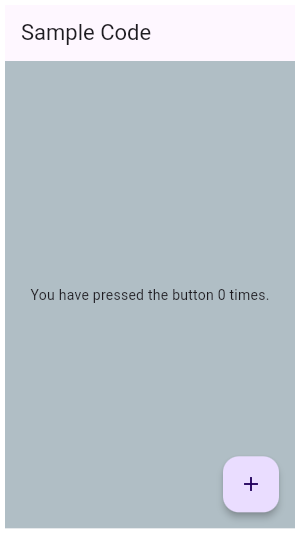
|
|
///
|
|
/// ** See code in examples/api/lib/material/scaffold/scaffold.1.dart **
|
|
/// {@end-tool}
|
|
///
|
|
/// {@tool dartpad}
|
|
/// This example shows a [Scaffold] with an [AppBar], a [BottomAppBar] and a
|
|
/// [FloatingActionButton]. The [body] is a [Text] placed in a [Center] in order
|
|
/// to center the text within the [Scaffold]. The [FloatingActionButton] is
|
|
/// centered and docked within the [BottomAppBar] using
|
|
/// [FloatingActionButtonLocation.centerDocked]. The [FloatingActionButton] is
|
|
/// connected to a callback that increments a counter.
|
|
///
|
|
/// 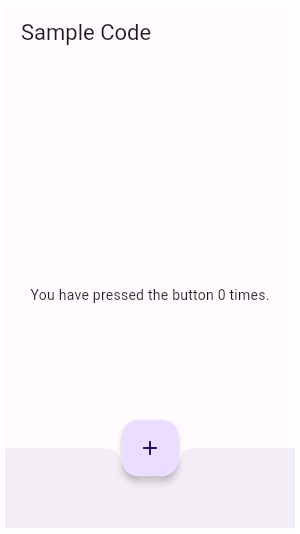
|
|
///
|
|
/// ** See code in examples/api/lib/material/scaffold/scaffold.2.dart **
|
|
/// {@end-tool}
|
|
///
|
|
/// ## Scaffold layout, the keyboard, and display "notches"
|
|
///
|
|
/// The scaffold will expand to fill the available space. That usually
|
|
/// means that it will occupy its entire window or device screen. When
|
|
/// the device's keyboard appears the Scaffold's ancestor [MediaQuery]
|
|
/// widget's [MediaQueryData.viewInsets] changes and the Scaffold will
|
|
/// be rebuilt. By default the scaffold's [body] is resized to make
|
|
/// room for the keyboard. To prevent the resize set
|
|
/// [resizeToAvoidBottomInset] to false. In either case the focused
|
|
/// widget will be scrolled into view if it's within a scrollable
|
|
/// container.
|
|
///
|
|
/// The [MediaQueryData.padding] value defines areas that might
|
|
/// not be completely visible, like the display "notch" on the iPhone
|
|
/// X. The scaffold's [body] is not inset by this padding value
|
|
/// although an [appBar] or [bottomNavigationBar] will typically
|
|
/// cause the body to avoid the padding. The [SafeArea]
|
|
/// widget can be used within the scaffold's body to avoid areas
|
|
/// like display notches.
|
|
///
|
|
/// ## Floating action button with a draggable scrollable bottom sheet
|
|
///
|
|
/// If [Scaffold.bottomSheet] is a [DraggableScrollableSheet],
|
|
/// [Scaffold.floatingActionButton] is set, and the bottom sheet is dragged to
|
|
/// cover greater than 70% of the Scaffold's height, two things happen in parallel:
|
|
///
|
|
/// * Scaffold starts to show scrim (see [ScaffoldState.showBodyScrim]), and
|
|
/// * [Scaffold.floatingActionButton] is scaled down through an animation with a [Curves.easeIn], and
|
|
/// disappears when the bottom sheet covers the entire Scaffold.
|
|
///
|
|
/// And as soon as the bottom sheet is dragged down to cover less than 70% of the [Scaffold], the scrim
|
|
/// disappears and [Scaffold.floatingActionButton] animates back to its normal size.
|
|
///
|
|
/// ## Troubleshooting
|
|
///
|
|
/// ### Nested Scaffolds
|
|
///
|
|
/// The Scaffold is designed to be a top level container for
|
|
/// a [MaterialApp]. This means that adding a Scaffold
|
|
/// to each route on a Material app will provide the app with
|
|
/// Material's basic visual layout structure.
|
|
///
|
|
/// It is typically not necessary to nest Scaffolds. For example, in a
|
|
/// tabbed UI, where the [bottomNavigationBar] is a [TabBar]
|
|
/// and the body is a [TabBarView], you might be tempted to make each tab bar
|
|
/// view a scaffold with a differently titled AppBar. Rather, it would be
|
|
/// better to add a listener to the [TabController] that updates the
|
|
/// AppBar
|
|
///
|
|
/// {@tool snippet}
|
|
/// Add a listener to the app's tab controller so that the [AppBar] title of the
|
|
/// app's one and only scaffold is reset each time a new tab is selected.
|
|
///
|
|
/// ```dart
|
|
/// TabController(vsync: tickerProvider, length: tabCount)..addListener(() {
|
|
/// if (!tabController.indexIsChanging) {
|
|
/// setState(() {
|
|
/// // Rebuild the enclosing scaffold with a new AppBar title
|
|
/// appBarTitle = 'Tab ${tabController.index}';
|
|
/// });
|
|
/// }
|
|
/// })
|
|
/// ```
|
|
/// {@end-tool}
|
|
///
|
|
/// Although there are some use cases, like a presentation app that
|
|
/// shows embedded flutter content, where nested scaffolds are
|
|
/// appropriate, it's best to avoid nesting scaffolds.
|
|
///
|
|
/// See also:
|
|
///
|
|
/// * [AppBar], which is a horizontal bar typically shown at the top of an app
|
|
/// using the [appBar] property.
|
|
/// * [BottomAppBar], which is a horizontal bar typically shown at the bottom
|
|
/// of an app using the [bottomNavigationBar] property.
|
|
/// * [FloatingActionButton], which is a circular button typically shown in the
|
|
/// bottom right corner of the app using the [floatingActionButton] property.
|
|
/// * [Drawer], which is a vertical panel that is typically displayed to the
|
|
/// left of the body (and often hidden on phones) using the [drawer]
|
|
/// property.
|
|
/// * [BottomNavigationBar], which is a horizontal array of buttons typically
|
|
/// shown along the bottom of the app using the [bottomNavigationBar]
|
|
/// property.
|
|
/// * [BottomSheet], which is an overlay typically shown near the bottom of the
|
|
/// app. A bottom sheet can either be persistent, in which case it is shown
|
|
/// using the [ScaffoldState.showBottomSheet] method, or modal, in which case
|
|
/// it is shown using the [showModalBottomSheet] function.
|
|
/// * [SnackBar], which is a lightweight message with an optional action which
|
|
/// briefly displays at the bottom of the screen. Use the
|
|
/// [ScaffoldMessengerState.showSnackBar] method to show snack bars.
|
|
/// * [MaterialBanner], which displays an important, succinct message, at the
|
|
/// top of the screen, below the app bar. Use the
|
|
/// [ScaffoldMessengerState.showMaterialBanner] method to show material banners.
|
|
/// * [ScaffoldState], which is the state associated with this widget.
|
|
/// * <https://material.io/design/layout/responsive-layout-grid.html>
|
|
/// * Cookbook: [Add a Drawer to a screen](https://docs.flutter.dev/cookbook/design/drawer)
|
|
class Scaffold extends StatefulWidget implements material.Scaffold {
|
|
/// Creates a visual scaffold for Material Design widgets.
|
|
const Scaffold({
|
|
super.key,
|
|
this.appBar,
|
|
this.body,
|
|
this.floatingActionButton,
|
|
this.floatingActionButtonLocation,
|
|
this.floatingActionButtonAnimator,
|
|
this.persistentFooterButtons,
|
|
this.persistentFooterAlignment = AlignmentDirectional.centerEnd,
|
|
this.persistentFooterDecoration,
|
|
this.drawer,
|
|
this.onDrawerChanged,
|
|
this.endDrawer,
|
|
this.onEndDrawerChanged,
|
|
this.bottomNavigationBar,
|
|
this.bottomSheet,
|
|
this.backgroundColor,
|
|
this.resizeToAvoidBottomInset,
|
|
this.primary = true,
|
|
this.drawerDragStartBehavior = DragStartBehavior.start,
|
|
this.extendBody = false,
|
|
this.drawerBarrierDismissible = true,
|
|
this.extendBodyBehindAppBar = false,
|
|
this.drawerScrimColor,
|
|
this.bottomSheetScrimBuilder = _defaultBottomSheetScrimBuilder,
|
|
this.drawerEdgeDragWidth,
|
|
this.drawerEnableOpenDragGesture = true,
|
|
this.endDrawerEnableOpenDragGesture = true,
|
|
this.restorationId,
|
|
});
|
|
|
|
/// If true, and [bottomNavigationBar] or [persistentFooterButtons]
|
|
/// is specified, then the [body] extends to the bottom of the Scaffold,
|
|
/// instead of only extending to the top of the [bottomNavigationBar]
|
|
/// or the [persistentFooterButtons].
|
|
///
|
|
/// If true, a [MediaQuery] widget whose bottom padding matches the height
|
|
/// of the [bottomNavigationBar] will be added above the scaffold's [body].
|
|
///
|
|
/// This property is often useful when the [bottomNavigationBar] has
|
|
/// a non-rectangular shape, like [CircularNotchedRectangle], which
|
|
/// adds a [FloatingActionButton] sized notch to the top edge of the bar.
|
|
/// In this case specifying `extendBody: true` ensures that scaffold's
|
|
/// body will be visible through the bottom navigation bar's notch.
|
|
///
|
|
/// See also:
|
|
///
|
|
/// * [extendBodyBehindAppBar], which extends the height of the body
|
|
/// to the top of the scaffold.
|
|
final bool extendBody;
|
|
|
|
/// Whether the drawer can be dismissed by tapping on the barrier.
|
|
///
|
|
/// If false, and a [drawer] is specified, then the barrier behind the drawer
|
|
/// will not respond to a tap event and thus remains open.
|
|
///
|
|
/// Defaults to true, in which case the drawer will close upon the user tapping on the barrier.
|
|
final bool drawerBarrierDismissible;
|
|
|
|
/// If true, and an [appBar] is specified, then the height of the [body] is
|
|
/// extended to include the height of the app bar and the top of the body
|
|
/// is aligned with the top of the app bar.
|
|
///
|
|
/// This is useful if the app bar's [AppBar.backgroundColor] is not
|
|
/// completely opaque.
|
|
///
|
|
/// This property is false by default.
|
|
///
|
|
/// See also:
|
|
///
|
|
/// * [extendBody], which extends the height of the body to the bottom
|
|
/// of the scaffold.
|
|
final bool extendBodyBehindAppBar;
|
|
|
|
/// An app bar to display at the top of the scaffold.
|
|
final PreferredSizeWidget? appBar;
|
|
|
|
/// The primary content of the scaffold.
|
|
///
|
|
/// Displayed below the [appBar], above the bottom of the ambient
|
|
/// [MediaQuery]'s [MediaQueryData.viewInsets], and behind the
|
|
/// [floatingActionButton] and [drawer]. If [resizeToAvoidBottomInset] is
|
|
/// false then the body is not resized when the onscreen keyboard appears,
|
|
/// i.e. it is not inset by `viewInsets.bottom`.
|
|
///
|
|
/// The widget in the body of the scaffold is positioned at the top-left of
|
|
/// the available space between the app bar and the bottom of the scaffold. To
|
|
/// center this widget instead, consider putting it in a [Center] widget and
|
|
/// having that be the body. To expand this widget instead, consider
|
|
/// putting it in a [SizedBox.expand].
|
|
///
|
|
/// If you have a column of widgets that should normally fit on the screen,
|
|
/// but may overflow and would in such cases need to scroll, consider using a
|
|
/// [ListView] as the body of the scaffold. This is also a good choice for
|
|
/// the case where your body is a scrollable list.
|
|
final Widget? body;
|
|
|
|
/// A button displayed floating above [body], in the bottom right corner.
|
|
///
|
|
/// Typically a [FloatingActionButton].
|
|
final Widget? floatingActionButton;
|
|
|
|
/// Responsible for determining where the [floatingActionButton] should go.
|
|
///
|
|
/// If null, the [ScaffoldState] will use the default location, [FloatingActionButtonLocation.endFloat].
|
|
final FloatingActionButtonLocation? floatingActionButtonLocation;
|
|
|
|
/// Animator to move the [floatingActionButton] to a new [floatingActionButtonLocation].
|
|
///
|
|
/// If null, the [ScaffoldState] will use the default animator, [FloatingActionButtonAnimator.scaling].
|
|
final FloatingActionButtonAnimator? floatingActionButtonAnimator;
|
|
|
|
/// A set of buttons that are displayed at the bottom of the scaffold.
|
|
///
|
|
/// Typically this is a list of [TextButton] widgets. These buttons are
|
|
/// persistently visible, even if the [body] of the scaffold scrolls.
|
|
///
|
|
/// These widgets will be wrapped in an [OverflowBar].
|
|
///
|
|
/// The [persistentFooterButtons] are rendered above the
|
|
/// [bottomNavigationBar] but below the [body].
|
|
final List<Widget>? persistentFooterButtons;
|
|
|
|
/// The alignment of the [persistentFooterButtons] inside the [OverflowBar].
|
|
///
|
|
/// Defaults to [AlignmentDirectional.centerEnd].
|
|
final AlignmentDirectional persistentFooterAlignment;
|
|
|
|
/// Decoration for the container that holds the [persistentFooterButtons].
|
|
///
|
|
/// By default, this container has a top border with a width of 1.0, created by
|
|
/// [Divider.createBorderSide].
|
|
///
|
|
/// See also:
|
|
///
|
|
/// * [persistentFooterButtons], which defines the buttons to show in the footer.
|
|
/// * [persistentFooterAlignment], which defines the alignment of the footer buttons.
|
|
final BoxDecoration? persistentFooterDecoration;
|
|
|
|
/// A panel displayed to the side of the [body], often hidden on mobile
|
|
/// devices. Swipes in from either left-to-right ([TextDirection.ltr]) or
|
|
/// right-to-left ([TextDirection.rtl])
|
|
///
|
|
/// Typically a [Drawer].
|
|
///
|
|
/// To open the drawer, use the [ScaffoldState.openDrawer] function.
|
|
///
|
|
/// To close the drawer, use either [ScaffoldState.closeDrawer], [Navigator.pop]
|
|
/// or press the escape key on the keyboard.
|
|
///
|
|
/// {@tool dartpad}
|
|
/// To disable the drawer edge swipe on mobile, set the
|
|
/// [Scaffold.drawerEnableOpenDragGesture] to false. Then, use
|
|
/// [ScaffoldState.openDrawer] to open the drawer and [Navigator.pop] to close
|
|
/// it.
|
|
///
|
|
/// ** See code in examples/api/lib/material/scaffold/scaffold.drawer.0.dart **
|
|
/// {@end-tool}
|
|
final Widget? drawer;
|
|
|
|
/// Optional callback that is called when the [Scaffold.drawer] is opened or closed.
|
|
final DrawerCallback? onDrawerChanged;
|
|
|
|
/// A panel displayed to the side of the [body], often hidden on mobile
|
|
/// devices. Swipes in from right-to-left ([TextDirection.ltr]) or
|
|
/// left-to-right ([TextDirection.rtl])
|
|
///
|
|
/// Typically a [Drawer].
|
|
///
|
|
/// To open the drawer, use the [ScaffoldState.openEndDrawer] function.
|
|
///
|
|
/// To close the drawer, use either [ScaffoldState.closeEndDrawer], [Navigator.pop]
|
|
/// or press the escape key on the keyboard.
|
|
///
|
|
/// {@tool dartpad}
|
|
/// To disable the drawer edge swipe, set the
|
|
/// [Scaffold.endDrawerEnableOpenDragGesture] to false. Then, use
|
|
/// [ScaffoldState.openEndDrawer] to open the drawer and [Navigator.pop] to
|
|
/// close it.
|
|
///
|
|
/// ** See code in examples/api/lib/material/scaffold/scaffold.end_drawer.0.dart **
|
|
/// {@end-tool}
|
|
final Widget? endDrawer;
|
|
|
|
/// Optional callback that is called when the [Scaffold.endDrawer] is opened or closed.
|
|
final DrawerCallback? onEndDrawerChanged;
|
|
|
|
/// The color to use for the scrim that obscures primary content while a drawer is open.
|
|
///
|
|
/// If this is null, then [DrawerThemeData.scrimColor] is used. If that
|
|
/// is also null, then it defaults to [Colors.black54].
|
|
final Color? drawerScrimColor;
|
|
|
|
/// A builder for the widget that obscures primary content while a bottom sheet is open.
|
|
///
|
|
/// The builder receives the current [BuildContext] and an [Animation] as parameters.
|
|
/// The [Animation] ranges from 0.0 to 1.0 based on how much the bottom sheet covers the screen.
|
|
/// A value of 0.0 represents when the bottom sheet covers 70% of the screen,
|
|
/// and 1.0 represents when the bottom sheet fully covers the screen.
|
|
///
|
|
/// If this is null, then a non-dismissable [ModalBarrier] with [Colors.black] is used. The
|
|
/// barrier is animated to fade in and out as the bottom sheet is opened and closed.
|
|
///
|
|
/// If the builder returns null, then no scrim is shown.
|
|
final Widget? Function(BuildContext, Animation<double>)
|
|
bottomSheetScrimBuilder;
|
|
|
|
/// The color of the [Material] widget that underlies the entire Scaffold.
|
|
///
|
|
/// The theme's [ThemeData.scaffoldBackgroundColor] by default.
|
|
final Color? backgroundColor;
|
|
|
|
/// A bottom navigation bar to display at the bottom of the scaffold.
|
|
///
|
|
/// Snack bars slide from underneath the bottom navigation bar while bottom
|
|
/// sheets are stacked on top.
|
|
///
|
|
/// The [bottomNavigationBar] is rendered below the [persistentFooterButtons]
|
|
/// and the [body].
|
|
final Widget? bottomNavigationBar;
|
|
|
|
/// The persistent bottom sheet to display.
|
|
///
|
|
/// A persistent bottom sheet shows information that supplements the primary
|
|
/// content of the app. A persistent bottom sheet remains visible even when
|
|
/// the user interacts with other parts of the app.
|
|
///
|
|
/// A closely related widget is a modal bottom sheet, which is an alternative
|
|
/// to a menu or a dialog and prevents the user from interacting with the rest
|
|
/// of the app. Modal bottom sheets can be created and displayed with the
|
|
/// [showModalBottomSheet] function.
|
|
///
|
|
/// Unlike the persistent bottom sheet displayed by [showBottomSheet]
|
|
/// this bottom sheet is not a [LocalHistoryEntry] and cannot be dismissed
|
|
/// with the scaffold appbar's back button.
|
|
///
|
|
/// If a persistent bottom sheet created with [showBottomSheet] is already
|
|
/// visible, it must be closed before building the Scaffold with a new
|
|
/// [bottomSheet].
|
|
///
|
|
/// The value of [bottomSheet] can be any widget at all. It's unlikely to
|
|
/// actually be a [BottomSheet], which is used by the implementations of
|
|
/// [showBottomSheet] and [showModalBottomSheet]. Typically it's a widget
|
|
/// that includes [Material].
|
|
///
|
|
/// See also:
|
|
///
|
|
/// * [showBottomSheet], which displays a bottom sheet as a route that can
|
|
/// be dismissed with the scaffold's back button.
|
|
/// * [showModalBottomSheet], which displays a modal bottom sheet.
|
|
/// * [BottomSheetThemeData], which can be used to customize the default
|
|
/// bottom sheet property values when using a [BottomSheet].
|
|
final Widget? bottomSheet;
|
|
|
|
/// If true the [body] and the scaffold's floating widgets should size
|
|
/// themselves to avoid the onscreen keyboard whose height is defined by the
|
|
/// ambient [MediaQuery]'s [MediaQueryData.viewInsets] `bottom` property.
|
|
///
|
|
/// For example, if there is an onscreen keyboard displayed above the
|
|
/// scaffold, the body can be resized to avoid overlapping the keyboard, which
|
|
/// prevents widgets inside the body from being obscured by the keyboard.
|
|
///
|
|
/// Defaults to true.
|
|
final bool? resizeToAvoidBottomInset;
|
|
|
|
/// Whether this scaffold is being displayed at the top of the screen.
|
|
///
|
|
/// If true then the height of the [appBar] will be extended by the height
|
|
/// of the screen's status bar, i.e. the top padding for [MediaQuery].
|
|
///
|
|
/// The default value of this property, like the default value of
|
|
/// [AppBar.primary], is true.
|
|
final bool primary;
|
|
|
|
/// {@macro flutter.material.DrawerController.dragStartBehavior}
|
|
final DragStartBehavior drawerDragStartBehavior;
|
|
|
|
/// The width of the area within which a horizontal swipe will open the
|
|
/// drawer.
|
|
///
|
|
/// By default, the value used is 20.0 added to the padding edge of
|
|
/// `MediaQuery.paddingOf(context)` that corresponds to the surrounding
|
|
/// [TextDirection]. This ensures that the drag area for notched devices is
|
|
/// not obscured. For example, if `TextDirection.of(context)` is set to
|
|
/// [TextDirection.ltr], 20.0 will be added to
|
|
/// `MediaQuery.paddingOf(context).left`.
|
|
final double? drawerEdgeDragWidth;
|
|
|
|
/// Determines if the [Scaffold.drawer] can be opened with a drag
|
|
/// gesture on mobile.
|
|
///
|
|
/// On desktop platforms, the drawer is not draggable.
|
|
///
|
|
/// By default, the drag gesture is enabled on mobile.
|
|
final bool drawerEnableOpenDragGesture;
|
|
|
|
/// Determines if the [Scaffold.endDrawer] can be opened with a
|
|
/// gesture on mobile.
|
|
///
|
|
/// On desktop platforms, the drawer is not draggable.
|
|
///
|
|
/// By default, the drag gesture is enabled on mobile.
|
|
final bool endDrawerEnableOpenDragGesture;
|
|
|
|
/// Restoration ID to save and restore the state of the [Scaffold].
|
|
///
|
|
/// If it is non-null, the scaffold will persist and restore whether the
|
|
/// [drawer] and [endDrawer] was open or closed.
|
|
///
|
|
/// The state of this widget is persisted in a [RestorationBucket] claimed
|
|
/// from the surrounding [RestorationScope] using the provided restoration ID.
|
|
///
|
|
/// See also:
|
|
///
|
|
/// * [RestorationManager], which explains how state restoration works in
|
|
/// Flutter.
|
|
final String? restorationId;
|
|
|
|
/// Finds the [ScaffoldState] from the closest instance of this class that
|
|
/// encloses the given context.
|
|
///
|
|
/// If no instance of this class encloses the given context, will cause an
|
|
/// assert in debug mode, and throw an exception in release mode.
|
|
///
|
|
/// This method can be expensive (it walks the element tree).
|
|
///
|
|
/// {@tool dartpad}
|
|
/// Typical usage of the [Scaffold.of] function is to call it from within the
|
|
/// `build` method of a child of a [Scaffold].
|
|
///
|
|
/// ** See code in examples/api/lib/material/scaffold/scaffold.of.0.dart **
|
|
/// {@end-tool}
|
|
///
|
|
/// {@tool dartpad}
|
|
/// When the [Scaffold] is actually created in the same `build` function, the
|
|
/// `context` argument to the `build` function can't be used to find the
|
|
/// [Scaffold] (since it's "above" the widget being returned in the widget
|
|
/// tree). In such cases, the following technique with a [Builder] can be used
|
|
/// to provide a new scope with a [BuildContext] that is "under" the
|
|
/// [Scaffold]:
|
|
///
|
|
/// ** See code in examples/api/lib/material/scaffold/scaffold.of.1.dart **
|
|
/// {@end-tool}
|
|
///
|
|
/// A more efficient solution is to split your build function into several
|
|
/// widgets. This introduces a new context from which you can obtain the
|
|
/// [Scaffold]. In this solution, you would have an outer widget that creates
|
|
/// the [Scaffold] populated by instances of your new inner widgets, and then
|
|
/// in these inner widgets you would use [Scaffold.of].
|
|
///
|
|
/// A less elegant but more expedient solution is assign a [GlobalKey] to the
|
|
/// [Scaffold], then use the `key.currentState` property to obtain the
|
|
/// [ScaffoldState] rather than using the [Scaffold.of] function.
|
|
///
|
|
/// If there is no [Scaffold] in scope, then this will throw an exception.
|
|
/// To return null if there is no [Scaffold], use [maybeOf] instead.
|
|
static ScaffoldState of(BuildContext context) {
|
|
final ScaffoldState? result = context
|
|
.findAncestorStateOfType<ScaffoldState>();
|
|
if (result != null) {
|
|
return result;
|
|
}
|
|
throw FlutterError.fromParts(<DiagnosticsNode>[
|
|
ErrorSummary(
|
|
'Scaffold.of() called with a context that does not contain a Scaffold.',
|
|
),
|
|
ErrorDescription(
|
|
'No Scaffold ancestor could be found starting from the context that was passed to Scaffold.of(). '
|
|
'This usually happens when the context provided is from the same StatefulWidget as that '
|
|
'whose build function actually creates the Scaffold widget being sought.',
|
|
),
|
|
ErrorHint(
|
|
'There are several ways to avoid this problem. The simplest is to use a Builder to get a '
|
|
'context that is "under" the Scaffold. For an example of this, please see the '
|
|
'documentation for Scaffold.of():\n'
|
|
' https://api.flutter.dev/flutter/material/Scaffold/of.html',
|
|
),
|
|
ErrorHint(
|
|
'A more efficient solution is to split your build function into several widgets. This '
|
|
'introduces a new context from which you can obtain the Scaffold. In this solution, '
|
|
'you would have an outer widget that creates the Scaffold populated by instances of '
|
|
'your new inner widgets, and then in these inner widgets you would use Scaffold.of().\n'
|
|
'A less elegant but more expedient solution is assign a GlobalKey to the Scaffold, '
|
|
'then use the key.currentState property to obtain the ScaffoldState rather than '
|
|
'using the Scaffold.of() function.',
|
|
),
|
|
context.describeElement('The context used was'),
|
|
]);
|
|
}
|
|
|
|
/// Finds the [ScaffoldState] from the closest instance of this class that
|
|
/// encloses the given context.
|
|
///
|
|
/// If no instance of this class encloses the given context, will return null.
|
|
/// To throw an exception instead, use [of] instead of this function.
|
|
///
|
|
/// This method can be expensive (it walks the element tree).
|
|
///
|
|
/// See also:
|
|
///
|
|
/// * [of], a similar function to this one that throws if no instance
|
|
/// encloses the given context. Also includes some sample code in its
|
|
/// documentation.
|
|
static ScaffoldState? maybeOf(BuildContext context) {
|
|
return context.findAncestorStateOfType<ScaffoldState>();
|
|
}
|
|
|
|
/// Returns a [ValueListenable] for the [ScaffoldGeometry] for the closest
|
|
/// [Scaffold] ancestor of the given context.
|
|
///
|
|
/// The [ValueListenable.value] is only available at paint time.
|
|
///
|
|
/// Notifications are guaranteed to be sent before the first paint pass
|
|
/// with the new geometry, but there is no guarantee whether a build or
|
|
/// layout passes are going to happen between the notification and the next
|
|
/// paint pass.
|
|
///
|
|
/// The closest [Scaffold] ancestor for the context might change, e.g when
|
|
/// an element is moved from one scaffold to another. For [StatefulWidget]s
|
|
/// using this listenable, a change of the [Scaffold] ancestor will
|
|
/// trigger a [State.didChangeDependencies].
|
|
///
|
|
/// A typical pattern for listening to the scaffold geometry would be to
|
|
/// call [Scaffold.geometryOf] in [State.didChangeDependencies], compare the
|
|
/// return value with the previous listenable, if it has changed, unregister
|
|
/// the listener, and register a listener to the new [ScaffoldGeometry]
|
|
/// listenable.
|
|
static ValueListenable<ScaffoldGeometry> geometryOf(BuildContext context) {
|
|
final _ScaffoldScope? scaffoldScope = context
|
|
.dependOnInheritedWidgetOfExactType<_ScaffoldScope>();
|
|
if (scaffoldScope == null) {
|
|
throw FlutterError.fromParts(<DiagnosticsNode>[
|
|
ErrorSummary(
|
|
'Scaffold.geometryOf() called with a context that does not contain a Scaffold.',
|
|
),
|
|
ErrorDescription(
|
|
'This usually happens when the context provided is from the same StatefulWidget as that '
|
|
'whose build function actually creates the Scaffold widget being sought.',
|
|
),
|
|
ErrorHint(
|
|
'There are several ways to avoid this problem. The simplest is to use a Builder to get a '
|
|
'context that is "under" the Scaffold. For an example of this, please see the '
|
|
'documentation for Scaffold.of():\n'
|
|
' https://api.flutter.dev/flutter/material/Scaffold/of.html',
|
|
),
|
|
ErrorHint(
|
|
'A more efficient solution is to split your build function into several widgets. This '
|
|
'introduces a new context from which you can obtain the Scaffold. In this solution, '
|
|
'you would have an outer widget that creates the Scaffold populated by instances of '
|
|
'your new inner widgets, and then in these inner widgets you would use Scaffold.geometryOf().',
|
|
),
|
|
context.describeElement('The context used was'),
|
|
]);
|
|
}
|
|
return scaffoldScope.geometryNotifier;
|
|
}
|
|
|
|
/// Whether the Scaffold that most tightly encloses the given context has a
|
|
/// drawer.
|
|
///
|
|
/// If this is being used during a build (for example to decide whether to
|
|
/// show an "open drawer" button), set the `registerForUpdates` argument to
|
|
/// true. This will then set up an [InheritedWidget] relationship with the
|
|
/// [Scaffold] so that the client widget gets rebuilt whenever the [hasDrawer]
|
|
/// value changes.
|
|
///
|
|
/// This method can be expensive (it walks the element tree).
|
|
///
|
|
/// See also:
|
|
///
|
|
/// * [Scaffold.of], which provides access to the [ScaffoldState] object as a
|
|
/// whole, from which you can show bottom sheets, and so forth.
|
|
static bool hasDrawer(
|
|
BuildContext context, {
|
|
bool registerForUpdates = true,
|
|
}) {
|
|
if (registerForUpdates) {
|
|
final _ScaffoldScope? scaffold = context
|
|
.dependOnInheritedWidgetOfExactType<_ScaffoldScope>();
|
|
return scaffold?.hasDrawer ?? false;
|
|
} else {
|
|
final ScaffoldState? scaffold = context
|
|
.findAncestorStateOfType<ScaffoldState>();
|
|
return scaffold?.hasDrawer ?? false;
|
|
}
|
|
}
|
|
|
|
static Widget _defaultBottomSheetScrimBuilder(
|
|
BuildContext context,
|
|
Animation<double> animation,
|
|
) {
|
|
return AnimatedBuilder(
|
|
animation: animation,
|
|
builder: (BuildContext context, Widget? child) {
|
|
final double extentRemaining =
|
|
_kBottomSheetDominatesPercentage * (1.0 - animation.value);
|
|
final double floatingButtonVisibilityValue =
|
|
extentRemaining * _kBottomSheetDominatesPercentage * 10;
|
|
|
|
final double opacity = math.max(
|
|
_kMinBottomSheetScrimOpacity,
|
|
_kMaxBottomSheetScrimOpacity - floatingButtonVisibilityValue,
|
|
);
|
|
|
|
return ModalBarrier(
|
|
dismissible: false,
|
|
color: Colors.black.withOpacity(opacity),
|
|
);
|
|
},
|
|
);
|
|
}
|
|
|
|
@override
|
|
ScaffoldState createState() => ScaffoldState();
|
|
}
|
|
|
|
/// State for a [Scaffold].
|
|
///
|
|
/// Can display [BottomSheet]s. Retrieve a [ScaffoldState] from the current
|
|
/// [BuildContext] using [Scaffold.of].
|
|
class ScaffoldState extends State<material.Scaffold>
|
|
with TickerProviderStateMixin, RestorationMixin
|
|
implements material.ScaffoldState {
|
|
@override
|
|
String? get restorationId => widget.restorationId;
|
|
|
|
@protected
|
|
@override
|
|
void restoreState(RestorationBucket? oldBucket, bool initialRestore) {
|
|
registerForRestoration(_drawerOpened, 'drawer_open');
|
|
registerForRestoration(_endDrawerOpened, 'end_drawer_open');
|
|
}
|
|
|
|
// DRAWER API
|
|
|
|
final GlobalKey<DrawerControllerState> _drawerKey =
|
|
GlobalKey<DrawerControllerState>();
|
|
final GlobalKey<DrawerControllerState> _endDrawerKey =
|
|
GlobalKey<DrawerControllerState>();
|
|
|
|
final GlobalKey _bodyKey = GlobalKey();
|
|
|
|
/// Whether this scaffold has a non-null [Scaffold.appBar].
|
|
bool get hasAppBar => widget.appBar != null;
|
|
|
|
/// Whether this scaffold has a non-null [Scaffold.drawer].
|
|
bool get hasDrawer => widget.drawer != null;
|
|
|
|
/// Whether this scaffold has a non-null [Scaffold.endDrawer].
|
|
bool get hasEndDrawer => widget.endDrawer != null;
|
|
|
|
/// Whether this scaffold has a non-null [Scaffold.floatingActionButton].
|
|
bool get hasFloatingActionButton => widget.floatingActionButton != null;
|
|
|
|
double? _appBarMaxHeight;
|
|
|
|
/// The max height the [Scaffold.appBar] uses.
|
|
///
|
|
/// This is based on the appBar preferred height plus the top padding.
|
|
double? get appBarMaxHeight => _appBarMaxHeight;
|
|
final RestorableBool _drawerOpened = RestorableBool(false);
|
|
final RestorableBool _endDrawerOpened = RestorableBool(false);
|
|
|
|
/// Whether the [Scaffold.drawer] is opened.
|
|
///
|
|
/// See also:
|
|
///
|
|
/// * [ScaffoldState.openDrawer], which opens the [Scaffold.drawer] of a
|
|
/// [Scaffold].
|
|
bool get isDrawerOpen => _drawerOpened.value;
|
|
|
|
/// Whether the [Scaffold.endDrawer] is opened.
|
|
///
|
|
/// See also:
|
|
///
|
|
/// * [ScaffoldState.openEndDrawer], which opens the [Scaffold.endDrawer] of
|
|
/// a [Scaffold].
|
|
bool get isEndDrawerOpen => _endDrawerOpened.value;
|
|
|
|
void _drawerOpenedCallback(bool isOpened) {
|
|
if (_drawerOpened.value != isOpened && _drawerKey.currentState != null) {
|
|
setState(() {
|
|
_drawerOpened.value = isOpened;
|
|
});
|
|
widget.onDrawerChanged?.call(isOpened);
|
|
}
|
|
}
|
|
|
|
void _endDrawerOpenedCallback(bool isOpened) {
|
|
if (_endDrawerOpened.value != isOpened &&
|
|
_endDrawerKey.currentState != null) {
|
|
setState(() {
|
|
_endDrawerOpened.value = isOpened;
|
|
});
|
|
widget.onEndDrawerChanged?.call(isOpened);
|
|
}
|
|
}
|
|
|
|
/// Opens the [Drawer] (if any).
|
|
///
|
|
/// If the scaffold has a non-null [Scaffold.drawer], this function will cause
|
|
/// the drawer to begin its entrance animation.
|
|
///
|
|
/// Normally this is not needed since the [Scaffold] automatically shows an
|
|
/// appropriate [IconButton], and handles the edge-swipe gesture, to show the
|
|
/// drawer.
|
|
///
|
|
/// To close the drawer, use either [ScaffoldState.closeDrawer] or
|
|
/// [Navigator.pop].
|
|
///
|
|
/// See [Scaffold.of] for information about how to obtain the [ScaffoldState].
|
|
void openDrawer() {
|
|
if (_endDrawerKey.currentState != null && _endDrawerOpened.value) {
|
|
_endDrawerKey.currentState!.close();
|
|
}
|
|
_drawerKey.currentState?.open();
|
|
}
|
|
|
|
/// Opens the end side [Drawer] (if any).
|
|
///
|
|
/// If the scaffold has a non-null [Scaffold.endDrawer], this function will cause
|
|
/// the end side drawer to begin its entrance animation.
|
|
///
|
|
/// Normally this is not needed since the [Scaffold] automatically shows an
|
|
/// appropriate [IconButton], and handles the edge-swipe gesture, to show the
|
|
/// drawer.
|
|
///
|
|
/// To close the drawer, use either [ScaffoldState.closeEndDrawer] or
|
|
/// [Navigator.pop].
|
|
///
|
|
/// See [Scaffold.of] for information about how to obtain the [ScaffoldState].
|
|
void openEndDrawer() {
|
|
if (_drawerKey.currentState != null && _drawerOpened.value) {
|
|
_drawerKey.currentState!.close();
|
|
}
|
|
_endDrawerKey.currentState?.open();
|
|
}
|
|
|
|
// Used for both the snackbar and material banner APIs
|
|
ScaffoldMessengerState? _scaffoldMessenger;
|
|
|
|
// SNACKBAR API
|
|
ScaffoldFeatureController<SnackBar, SnackBarClosedReason>? _messengerSnackBar;
|
|
|
|
// This is used to update the _messengerSnackBar by the ScaffoldMessenger.
|
|
void _updateSnackBar() {
|
|
final ScaffoldFeatureController<SnackBar, SnackBarClosedReason>?
|
|
messengerSnackBar = _scaffoldMessenger!._snackBars.isNotEmpty
|
|
? _scaffoldMessenger!._snackBars.first
|
|
: null;
|
|
|
|
if (_messengerSnackBar != messengerSnackBar) {
|
|
setState(() {
|
|
_messengerSnackBar = messengerSnackBar;
|
|
});
|
|
}
|
|
}
|
|
|
|
// MATERIAL BANNER API
|
|
|
|
// The _messengerMaterialBanner represents the current MaterialBanner being managed by
|
|
// the ScaffoldMessenger, instead of the Scaffold.
|
|
ScaffoldFeatureController<MaterialBanner, MaterialBannerClosedReason>?
|
|
_messengerMaterialBanner;
|
|
|
|
// This is used to update the _messengerMaterialBanner by the ScaffoldMessenger.
|
|
void _updateMaterialBanner() {
|
|
final ScaffoldFeatureController<MaterialBanner, MaterialBannerClosedReason>?
|
|
messengerMaterialBanner = _scaffoldMessenger!._materialBanners.isNotEmpty
|
|
? _scaffoldMessenger!._materialBanners.first
|
|
: null;
|
|
|
|
if (_messengerMaterialBanner != messengerMaterialBanner) {
|
|
setState(() {
|
|
_messengerMaterialBanner = messengerMaterialBanner;
|
|
});
|
|
}
|
|
}
|
|
|
|
// PERSISTENT BOTTOM SHEET API
|
|
|
|
// Contains bottom sheets that may still be animating out of view.
|
|
// Important if the app/user takes an action that could repeatedly show a
|
|
// bottom sheet.
|
|
final List<_StandardBottomSheet> _dismissedBottomSheets =
|
|
<_StandardBottomSheet>[];
|
|
PersistentBottomSheetController? _currentBottomSheet;
|
|
final GlobalKey _currentBottomSheetKey = GlobalKey();
|
|
LocalHistoryEntry? _persistentSheetHistoryEntry;
|
|
|
|
void _maybeBuildPersistentBottomSheet() {
|
|
if (widget.bottomSheet != null && _currentBottomSheet == null) {
|
|
// The new _currentBottomSheet is not a local history entry so a "back" button
|
|
// will not be added to the Scaffold's appbar and the bottom sheet will not
|
|
// support drag or swipe to dismiss.
|
|
final AnimationController animationController =
|
|
BottomSheet.createAnimationController(this)..value = 1.0;
|
|
bool persistentBottomSheetExtentChanged(
|
|
DraggableScrollableNotification notification,
|
|
) {
|
|
if (notification.extent - notification.initialExtent >
|
|
precisionErrorTolerance) {
|
|
if (_persistentSheetHistoryEntry == null) {
|
|
_persistentSheetHistoryEntry = LocalHistoryEntry(
|
|
onRemove: () {
|
|
DraggableScrollableActuator.reset(notification.context);
|
|
showBodyScrim(false, 0.0);
|
|
_floatingActionButtonVisibilityController.value = 1.0;
|
|
_persistentSheetHistoryEntry = null;
|
|
},
|
|
);
|
|
ModalRoute.of(
|
|
context,
|
|
)!.addLocalHistoryEntry(_persistentSheetHistoryEntry!);
|
|
}
|
|
} else if (_persistentSheetHistoryEntry != null) {
|
|
_persistentSheetHistoryEntry!.remove();
|
|
}
|
|
return false;
|
|
}
|
|
|
|
// Stop the animation and unmount the dismissed sheets from the tree immediately,
|
|
// otherwise may cause duplicate GlobalKey assertion if the sheet sub-tree contains
|
|
// GlobalKey widgets.
|
|
if (_dismissedBottomSheets.isNotEmpty) {
|
|
final List<_StandardBottomSheet> sheets = List<_StandardBottomSheet>.of(
|
|
_dismissedBottomSheets,
|
|
growable: false,
|
|
);
|
|
for (final _StandardBottomSheet sheet in sheets) {
|
|
sheet.animationController.reset();
|
|
}
|
|
assert(_dismissedBottomSheets.isEmpty);
|
|
}
|
|
|
|
_currentBottomSheet = _buildBottomSheet(
|
|
(BuildContext context) {
|
|
return NotificationListener<DraggableScrollableNotification>(
|
|
onNotification: persistentBottomSheetExtentChanged,
|
|
child: DraggableScrollableActuator(
|
|
child: StatefulBuilder(
|
|
key: _currentBottomSheetKey,
|
|
builder: (BuildContext context, StateSetter setState) {
|
|
return widget.bottomSheet ?? const SizedBox.shrink();
|
|
},
|
|
),
|
|
),
|
|
);
|
|
},
|
|
isPersistent: true,
|
|
animationController: animationController,
|
|
);
|
|
}
|
|
}
|
|
|
|
void _closeCurrentBottomSheet() {
|
|
if (_currentBottomSheet != null) {
|
|
if (!_currentBottomSheet!._isLocalHistoryEntry) {
|
|
_currentBottomSheet!.close();
|
|
}
|
|
assert(() {
|
|
_currentBottomSheet?._completer.future.whenComplete(() {
|
|
assert(_currentBottomSheet == null);
|
|
});
|
|
return true;
|
|
}());
|
|
}
|
|
}
|
|
|
|
/// Closes [Scaffold.drawer] if it is currently opened.
|
|
///
|
|
/// See [Scaffold.of] for information about how to obtain the [ScaffoldState].
|
|
void closeDrawer() {
|
|
if (hasDrawer && isDrawerOpen) {
|
|
_drawerKey.currentState!.close();
|
|
}
|
|
}
|
|
|
|
/// Closes [Scaffold.endDrawer] if it is currently opened.
|
|
///
|
|
/// See [Scaffold.of] for information about how to obtain the [ScaffoldState].
|
|
void closeEndDrawer() {
|
|
if (hasEndDrawer && isEndDrawerOpen) {
|
|
_endDrawerKey.currentState!.close();
|
|
}
|
|
}
|
|
|
|
void _updatePersistentBottomSheet() {
|
|
_currentBottomSheetKey.currentState!.setState(() {});
|
|
}
|
|
|
|
PersistentBottomSheetController _buildBottomSheet(
|
|
WidgetBuilder builder, {
|
|
required bool isPersistent,
|
|
required AnimationController animationController,
|
|
Color? backgroundColor,
|
|
double? elevation,
|
|
ShapeBorder? shape,
|
|
Clip? clipBehavior,
|
|
BoxConstraints? constraints,
|
|
bool? enableDrag,
|
|
bool? showDragHandle,
|
|
bool shouldDisposeAnimationController = true,
|
|
}) {
|
|
assert(() {
|
|
if (widget.bottomSheet != null &&
|
|
isPersistent &&
|
|
_currentBottomSheet != null) {
|
|
throw FlutterError(
|
|
'Scaffold.bottomSheet cannot be specified while a bottom sheet '
|
|
'displayed with showBottomSheet() is still visible.\n'
|
|
'Rebuild the Scaffold with a null bottomSheet before calling showBottomSheet().',
|
|
);
|
|
}
|
|
return true;
|
|
}());
|
|
|
|
final Completer<void> completer = Completer<void>();
|
|
final GlobalKey<_StandardBottomSheetState> bottomSheetKey =
|
|
GlobalKey<_StandardBottomSheetState>();
|
|
late _StandardBottomSheet bottomSheet;
|
|
|
|
bool removedEntry = false;
|
|
bool doingDispose = false;
|
|
|
|
void removePersistentSheetHistoryEntryIfNeeded() {
|
|
assert(isPersistent);
|
|
if (_persistentSheetHistoryEntry != null) {
|
|
_persistentSheetHistoryEntry!.remove();
|
|
_persistentSheetHistoryEntry = null;
|
|
}
|
|
}
|
|
|
|
void removeCurrentBottomSheet() {
|
|
removedEntry = true;
|
|
if (_currentBottomSheet == null) {
|
|
return;
|
|
}
|
|
assert(_currentBottomSheet!._widget == bottomSheet);
|
|
assert(bottomSheetKey.currentState != null);
|
|
_showFloatingActionButton();
|
|
|
|
if (isPersistent) {
|
|
removePersistentSheetHistoryEntryIfNeeded();
|
|
}
|
|
|
|
bottomSheetKey.currentState!.close();
|
|
setState(() {
|
|
_showBodyScrim = false;
|
|
_bottomSheetScrimAnimationController.value = 0.0;
|
|
_currentBottomSheet = null;
|
|
});
|
|
|
|
if (!animationController.isDismissed) {
|
|
_dismissedBottomSheets.add(bottomSheet);
|
|
}
|
|
completer.complete();
|
|
}
|
|
|
|
final LocalHistoryEntry? entry = isPersistent
|
|
? null
|
|
: LocalHistoryEntry(
|
|
onRemove: () {
|
|
if (!removedEntry &&
|
|
_currentBottomSheet?._widget == bottomSheet &&
|
|
!doingDispose) {
|
|
removeCurrentBottomSheet();
|
|
}
|
|
},
|
|
);
|
|
|
|
void removeEntryIfNeeded() {
|
|
if (!isPersistent && !removedEntry) {
|
|
assert(entry != null);
|
|
entry!.remove();
|
|
removedEntry = true;
|
|
}
|
|
}
|
|
|
|
bottomSheet = _StandardBottomSheet(
|
|
key: bottomSheetKey,
|
|
animationController: animationController,
|
|
enableDrag: enableDrag ?? !isPersistent,
|
|
showDragHandle: showDragHandle,
|
|
onClosing: () {
|
|
if (_currentBottomSheet == null) {
|
|
return;
|
|
}
|
|
assert(_currentBottomSheet!._widget == bottomSheet);
|
|
removeEntryIfNeeded();
|
|
},
|
|
onDismissed: () {
|
|
if (_dismissedBottomSheets.contains(bottomSheet)) {
|
|
setState(() {
|
|
_dismissedBottomSheets.remove(bottomSheet);
|
|
});
|
|
}
|
|
},
|
|
onDispose: () {
|
|
doingDispose = true;
|
|
removeEntryIfNeeded();
|
|
if (shouldDisposeAnimationController) {
|
|
animationController.dispose();
|
|
}
|
|
},
|
|
builder: builder,
|
|
isPersistent: isPersistent,
|
|
backgroundColor: backgroundColor,
|
|
elevation: elevation,
|
|
shape: shape,
|
|
clipBehavior: clipBehavior,
|
|
constraints: constraints,
|
|
);
|
|
|
|
if (!isPersistent) {
|
|
ModalRoute.of(context)!.addLocalHistoryEntry(entry!);
|
|
}
|
|
|
|
return PersistentBottomSheetController._(
|
|
bottomSheet,
|
|
completer,
|
|
entry != null ? entry.remove : removeCurrentBottomSheet,
|
|
(VoidCallback fn) {
|
|
bottomSheetKey.currentState?.setState(fn);
|
|
},
|
|
!isPersistent,
|
|
);
|
|
}
|
|
|
|
/// Shows a Material Design bottom sheet in the nearest [Scaffold]. To show
|
|
/// a persistent bottom sheet, use the [Scaffold.bottomSheet].
|
|
///
|
|
/// Returns a controller that can be used to close and otherwise manipulate the
|
|
/// bottom sheet.
|
|
///
|
|
/// To rebuild the bottom sheet (e.g. if it is stateful), call
|
|
/// [PersistentBottomSheetController.setState] on the controller returned by
|
|
/// this method.
|
|
///
|
|
/// The new bottom sheet becomes a [LocalHistoryEntry] for the enclosing
|
|
/// [ModalRoute] and a back button is added to the app bar of the [Scaffold]
|
|
/// that closes the bottom sheet.
|
|
///
|
|
/// The [transitionAnimationController] controls the bottom sheet's entrance and
|
|
/// exit animations. It's up to the owner of the controller to call
|
|
/// [AnimationController.dispose] when the controller is no longer needed.
|
|
///
|
|
/// To create a persistent bottom sheet that is not a [LocalHistoryEntry] and
|
|
/// does not add a back button to the enclosing Scaffold's app bar, use the
|
|
/// [Scaffold.bottomSheet] constructor parameter.
|
|
///
|
|
/// A persistent bottom sheet shows information that supplements the primary
|
|
/// content of the app. A persistent bottom sheet remains visible even when
|
|
/// the user interacts with other parts of the app.
|
|
///
|
|
/// A closely related widget is a modal bottom sheet, which is an alternative
|
|
/// to a menu or a dialog and prevents the user from interacting with the rest
|
|
/// of the app. Modal bottom sheets can be created and displayed with the
|
|
/// [showModalBottomSheet] function.
|
|
///
|
|
/// {@tool dartpad}
|
|
/// This example demonstrates how to use [showBottomSheet] to display a
|
|
/// bottom sheet when a user taps a button. It also demonstrates how to
|
|
/// close a bottom sheet using the Navigator.
|
|
///
|
|
/// ** See code in examples/api/lib/material/scaffold/scaffold_state.show_bottom_sheet.0.dart **
|
|
/// {@end-tool}
|
|
///
|
|
/// The [sheetAnimationStyle] parameter is used to override the bottom sheet
|
|
/// animation duration and reverse animation duration.
|
|
///
|
|
/// If [AnimationStyle.duration] is provided, it will be used to override
|
|
/// the bottom sheet animation duration in the underlying
|
|
/// [BottomSheet.createAnimationController].
|
|
///
|
|
/// If [AnimationStyle.reverseDuration] is provided, it will be used to
|
|
/// override the bottom sheet reverse animation duration in the underlying
|
|
/// [BottomSheet.createAnimationController].
|
|
///
|
|
/// To disable the bottom sheet animation, use [AnimationStyle.noAnimation].
|
|
///
|
|
/// {@tool dartpad}
|
|
/// This sample showcases how to override the [showBottomSheet] animation
|
|
/// duration and reverse animation duration using [AnimationStyle].
|
|
///
|
|
/// ** See code in examples/api/lib/material/scaffold/scaffold_state.show_bottom_sheet.1.dart **
|
|
/// {@end-tool}
|
|
/// See also:
|
|
///
|
|
/// * [BottomSheet], which becomes the parent of the widget returned by the
|
|
/// `builder`.
|
|
/// * [showBottomSheet], which calls this method given a [BuildContext].
|
|
/// * [showModalBottomSheet], which can be used to display a modal bottom
|
|
/// sheet.
|
|
/// * [Scaffold.of], for information about how to obtain the [ScaffoldState].
|
|
/// * The Material 2 spec at <https://m2.material.io/components/sheets-bottom>.
|
|
/// * The Material 3 spec at <https://m3.material.io/components/bottom-sheets/overview>.
|
|
/// * [AnimationStyle], which is used to override the modal bottom sheet
|
|
/// animation duration and reverse animation duration.
|
|
PersistentBottomSheetController showBottomSheet(
|
|
WidgetBuilder builder, {
|
|
Color? backgroundColor,
|
|
double? elevation,
|
|
ShapeBorder? shape,
|
|
Clip? clipBehavior,
|
|
BoxConstraints? constraints,
|
|
bool? enableDrag,
|
|
bool? showDragHandle,
|
|
AnimationController? transitionAnimationController,
|
|
AnimationStyle? sheetAnimationStyle,
|
|
}) {
|
|
assert(() {
|
|
if (widget.bottomSheet != null) {
|
|
throw FlutterError(
|
|
'Scaffold.bottomSheet cannot be specified while a bottom sheet '
|
|
'displayed with showBottomSheet() is still visible.\n'
|
|
'Rebuild the Scaffold with a null bottomSheet before calling showBottomSheet().',
|
|
);
|
|
}
|
|
return true;
|
|
}());
|
|
assert(debugCheckHasMediaQuery(context));
|
|
|
|
_closeCurrentBottomSheet();
|
|
final AnimationController controller =
|
|
(transitionAnimationController ??
|
|
BottomSheet.createAnimationController(
|
|
this,
|
|
sheetAnimationStyle: sheetAnimationStyle,
|
|
))
|
|
..forward();
|
|
setState(() {
|
|
_currentBottomSheet = _buildBottomSheet(
|
|
builder,
|
|
isPersistent: false,
|
|
animationController: controller,
|
|
backgroundColor: backgroundColor,
|
|
elevation: elevation,
|
|
shape: shape,
|
|
clipBehavior: clipBehavior,
|
|
constraints: constraints,
|
|
enableDrag: enableDrag,
|
|
showDragHandle: showDragHandle,
|
|
shouldDisposeAnimationController: transitionAnimationController == null,
|
|
);
|
|
});
|
|
return _currentBottomSheet!;
|
|
}
|
|
|
|
// Floating Action Button API
|
|
late AnimationController _floatingActionButtonMoveController;
|
|
late FloatingActionButtonAnimator _floatingActionButtonAnimator;
|
|
FloatingActionButtonLocation? _previousFloatingActionButtonLocation;
|
|
FloatingActionButtonLocation? _floatingActionButtonLocation;
|
|
|
|
late AnimationController _floatingActionButtonVisibilityController;
|
|
|
|
/// Shows the [Scaffold.floatingActionButton].
|
|
TickerFuture _showFloatingActionButton() {
|
|
return _floatingActionButtonVisibilityController.forward();
|
|
}
|
|
|
|
// Moves the Floating Action Button to the new Floating Action Button Location.
|
|
void _moveFloatingActionButton(
|
|
final FloatingActionButtonLocation newLocation,
|
|
) {
|
|
FloatingActionButtonLocation? previousLocation =
|
|
_floatingActionButtonLocation;
|
|
double restartAnimationFrom = 0.0;
|
|
// If the Floating Action Button is moving right now, we need to start from a snapshot of the current transition.
|
|
if (_floatingActionButtonMoveController.isAnimating) {
|
|
previousLocation = _TransitionSnapshotFabLocation(
|
|
_previousFloatingActionButtonLocation!,
|
|
_floatingActionButtonLocation!,
|
|
_floatingActionButtonAnimator,
|
|
_floatingActionButtonMoveController.value,
|
|
);
|
|
restartAnimationFrom = _floatingActionButtonAnimator.getAnimationRestart(
|
|
_floatingActionButtonMoveController.value,
|
|
);
|
|
}
|
|
|
|
setState(() {
|
|
_previousFloatingActionButtonLocation = previousLocation;
|
|
_floatingActionButtonLocation = newLocation;
|
|
});
|
|
|
|
// Animate the motion even when the fab is null so that if the exit animation is running,
|
|
// the old fab will start the motion transition while it exits instead of jumping to the
|
|
// new position.
|
|
_floatingActionButtonMoveController.forward(from: restartAnimationFrom);
|
|
}
|
|
|
|
// iOS FEATURES - status bar tap, back gesture
|
|
|
|
// On iOS, tapping the status bar scrolls the app's primary scrollable to the
|
|
// top. We implement this by looking up the primary scroll controller and
|
|
// scrolling it to the top when tapped.
|
|
void _handleStatusBarTap() {
|
|
final ScrollController? primaryScrollController =
|
|
PrimaryScrollController.maybeOf(context);
|
|
if (primaryScrollController != null && primaryScrollController.hasClients) {
|
|
primaryScrollController.animateTo(
|
|
0.0,
|
|
duration: const Duration(milliseconds: 1000),
|
|
curve: Curves.easeOutCirc,
|
|
);
|
|
}
|
|
}
|
|
|
|
// INTERNALS
|
|
|
|
late _ScaffoldGeometryNotifier _geometryNotifier;
|
|
|
|
bool get _resizeToAvoidBottomInset {
|
|
return widget.resizeToAvoidBottomInset ?? true;
|
|
}
|
|
|
|
@protected
|
|
@override
|
|
void initState() {
|
|
super.initState();
|
|
_geometryNotifier = _ScaffoldGeometryNotifier(
|
|
const ScaffoldGeometry(),
|
|
context,
|
|
);
|
|
_floatingActionButtonLocation =
|
|
widget.floatingActionButtonLocation ??
|
|
_kDefaultFloatingActionButtonLocation;
|
|
_floatingActionButtonAnimator =
|
|
widget.floatingActionButtonAnimator ??
|
|
_kDefaultFloatingActionButtonAnimator;
|
|
_previousFloatingActionButtonLocation = _floatingActionButtonLocation;
|
|
_floatingActionButtonMoveController = AnimationController(
|
|
vsync: this,
|
|
value: 1.0,
|
|
duration: kFloatingActionButtonSegue * 2,
|
|
);
|
|
|
|
_floatingActionButtonVisibilityController = AnimationController(
|
|
duration: kFloatingActionButtonSegue,
|
|
vsync: this,
|
|
);
|
|
|
|
_bottomSheetScrimAnimationController = AnimationController(vsync: this);
|
|
}
|
|
|
|
@protected
|
|
@override
|
|
void didUpdateWidget(Scaffold oldWidget) {
|
|
super.didUpdateWidget(oldWidget);
|
|
// Update the Floating Action Button Animator, and then schedule the Floating Action Button for repositioning.
|
|
if (widget.floatingActionButtonAnimator !=
|
|
oldWidget.floatingActionButtonAnimator) {
|
|
_floatingActionButtonAnimator =
|
|
widget.floatingActionButtonAnimator ??
|
|
_kDefaultFloatingActionButtonAnimator;
|
|
}
|
|
if (widget.floatingActionButtonLocation !=
|
|
oldWidget.floatingActionButtonLocation) {
|
|
_moveFloatingActionButton(
|
|
widget.floatingActionButtonLocation ??
|
|
_kDefaultFloatingActionButtonLocation,
|
|
);
|
|
}
|
|
if (widget.bottomSheet != oldWidget.bottomSheet) {
|
|
assert(() {
|
|
if (widget.bottomSheet != null &&
|
|
(_currentBottomSheet?._isLocalHistoryEntry ?? false)) {
|
|
throw FlutterError.fromParts(<DiagnosticsNode>[
|
|
ErrorSummary(
|
|
'Scaffold.bottomSheet cannot be specified while a bottom sheet displayed '
|
|
'with showBottomSheet() is still visible.',
|
|
),
|
|
ErrorHint(
|
|
'Use the PersistentBottomSheetController '
|
|
'returned by showBottomSheet() to close the old bottom sheet before creating '
|
|
'a Scaffold with a (non null) bottomSheet.',
|
|
),
|
|
]);
|
|
}
|
|
return true;
|
|
}());
|
|
if (widget.bottomSheet == null) {
|
|
_closeCurrentBottomSheet();
|
|
} else if (widget.bottomSheet != null && oldWidget.bottomSheet == null) {
|
|
_maybeBuildPersistentBottomSheet();
|
|
} else {
|
|
_updatePersistentBottomSheet();
|
|
}
|
|
}
|
|
}
|
|
|
|
@protected
|
|
@override
|
|
void didChangeDependencies() {
|
|
// Using maybeOf is valid here since both the Scaffold and ScaffoldMessenger
|
|
// are currently available for managing SnackBars.
|
|
final ScaffoldMessengerState? currentScaffoldMessenger =
|
|
ScaffoldMessenger.maybeOf(context);
|
|
// If our ScaffoldMessenger has changed, unregister with the old one first.
|
|
if (_scaffoldMessenger != null &&
|
|
(currentScaffoldMessenger == null ||
|
|
_scaffoldMessenger != currentScaffoldMessenger)) {
|
|
_scaffoldMessenger?._unregister(this);
|
|
}
|
|
// Register with the current ScaffoldMessenger, if there is one.
|
|
_scaffoldMessenger = currentScaffoldMessenger;
|
|
_scaffoldMessenger?._register(this);
|
|
|
|
_maybeBuildPersistentBottomSheet();
|
|
super.didChangeDependencies();
|
|
}
|
|
|
|
@protected
|
|
@override
|
|
void dispose() {
|
|
_geometryNotifier.dispose();
|
|
_floatingActionButtonMoveController.dispose();
|
|
_floatingActionButtonVisibilityController.dispose();
|
|
_scaffoldMessenger?._unregister(this);
|
|
_drawerOpened.dispose();
|
|
_endDrawerOpened.dispose();
|
|
_bottomSheetScrimAnimationController.dispose();
|
|
super.dispose();
|
|
}
|
|
|
|
void _addIfNonNull(
|
|
List<LayoutId> children,
|
|
Widget? child,
|
|
Object childId, {
|
|
required bool removeLeftPadding,
|
|
required bool removeTopPadding,
|
|
required bool removeRightPadding,
|
|
required bool removeBottomPadding,
|
|
bool removeBottomInset = false,
|
|
bool maintainBottomViewPadding = false,
|
|
}) {
|
|
MediaQueryData data = MediaQuery.of(context).removePadding(
|
|
removeLeft: removeLeftPadding,
|
|
removeTop: removeTopPadding,
|
|
removeRight: removeRightPadding,
|
|
removeBottom: removeBottomPadding,
|
|
);
|
|
if (removeBottomInset) {
|
|
data = data.removeViewInsets(removeBottom: true);
|
|
}
|
|
|
|
if (maintainBottomViewPadding && data.viewInsets.bottom != 0.0) {
|
|
data = data.copyWith(
|
|
padding: data.padding.copyWith(bottom: data.viewPadding.bottom),
|
|
);
|
|
}
|
|
|
|
if (child != null) {
|
|
children.add(
|
|
LayoutId(
|
|
id: childId,
|
|
child: MediaQuery(data: data, child: child),
|
|
),
|
|
);
|
|
}
|
|
}
|
|
|
|
void _buildEndDrawer(List<LayoutId> children, TextDirection textDirection) {
|
|
if (widget.endDrawer != null) {
|
|
assert(hasEndDrawer);
|
|
_addIfNonNull(
|
|
children,
|
|
DrawerController(
|
|
key: _endDrawerKey,
|
|
alignment: DrawerAlignment.end,
|
|
drawerCallback: _endDrawerOpenedCallback,
|
|
dragStartBehavior: widget.drawerDragStartBehavior,
|
|
scrimColor: widget.drawerScrimColor,
|
|
edgeDragWidth: widget.drawerEdgeDragWidth,
|
|
enableOpenDragGesture: widget.endDrawerEnableOpenDragGesture,
|
|
isDrawerOpen: _endDrawerOpened.value,
|
|
drawerBarrierDismissible: widget.drawerBarrierDismissible,
|
|
child: widget.endDrawer!,
|
|
),
|
|
_ScaffoldSlot.endDrawer,
|
|
// remove the side padding from the side we're not touching
|
|
removeLeftPadding: textDirection == TextDirection.ltr,
|
|
removeTopPadding: false,
|
|
removeRightPadding: textDirection == TextDirection.rtl,
|
|
removeBottomPadding: false,
|
|
);
|
|
}
|
|
}
|
|
|
|
void _buildDrawer(List<LayoutId> children, TextDirection textDirection) {
|
|
if (widget.drawer != null) {
|
|
assert(hasDrawer);
|
|
_addIfNonNull(
|
|
children,
|
|
DrawerController(
|
|
key: _drawerKey,
|
|
alignment: DrawerAlignment.start,
|
|
drawerCallback: _drawerOpenedCallback,
|
|
dragStartBehavior: widget.drawerDragStartBehavior,
|
|
scrimColor: widget.drawerScrimColor,
|
|
edgeDragWidth: widget.drawerEdgeDragWidth,
|
|
enableOpenDragGesture: widget.drawerEnableOpenDragGesture,
|
|
isDrawerOpen: _drawerOpened.value,
|
|
drawerBarrierDismissible: widget.drawerBarrierDismissible,
|
|
child: widget.drawer!,
|
|
),
|
|
_ScaffoldSlot.drawer,
|
|
// remove the side padding from the side we're not touching
|
|
removeLeftPadding: textDirection == TextDirection.rtl,
|
|
removeTopPadding: false,
|
|
removeRightPadding: textDirection == TextDirection.ltr,
|
|
removeBottomPadding: false,
|
|
);
|
|
}
|
|
}
|
|
|
|
late AnimationController _bottomSheetScrimAnimationController;
|
|
bool _showBodyScrim = false;
|
|
|
|
/// Updates the state of the body scrim.
|
|
///
|
|
/// This method is used to show or hide the body scrim and to set the animation value.
|
|
void showBodyScrim(bool value, double animationValue) {
|
|
if (_showBodyScrim != value) {
|
|
setState(() {
|
|
_showBodyScrim = value;
|
|
});
|
|
}
|
|
if (_bottomSheetScrimAnimationController.value != animationValue) {
|
|
_bottomSheetScrimAnimationController.value = animationValue;
|
|
}
|
|
}
|
|
|
|
@protected
|
|
@override
|
|
Widget build(BuildContext context) {
|
|
assert(debugCheckHasMediaQuery(context));
|
|
assert(debugCheckHasDirectionality(context));
|
|
final ThemeData themeData = Theme.of(context);
|
|
final TextDirection textDirection = Directionality.of(context);
|
|
|
|
final List<LayoutId> children = <LayoutId>[];
|
|
_addIfNonNull(
|
|
children,
|
|
widget.body == null
|
|
? null
|
|
: _BodyBuilder(
|
|
extendBody: widget.extendBody,
|
|
extendBodyBehindAppBar: widget.extendBodyBehindAppBar,
|
|
body: KeyedSubtree(key: _bodyKey, child: widget.body!),
|
|
),
|
|
_ScaffoldSlot.body,
|
|
removeLeftPadding: false,
|
|
removeTopPadding: widget.appBar != null,
|
|
removeRightPadding: false,
|
|
removeBottomPadding:
|
|
widget.bottomNavigationBar != null ||
|
|
widget.persistentFooterButtons != null,
|
|
removeBottomInset: _resizeToAvoidBottomInset,
|
|
);
|
|
if (_showBodyScrim) {
|
|
_addIfNonNull(
|
|
children,
|
|
widget.bottomSheetScrimBuilder(
|
|
context,
|
|
_bottomSheetScrimAnimationController.view,
|
|
),
|
|
_ScaffoldSlot.bodyScrim,
|
|
removeLeftPadding: true,
|
|
removeTopPadding: true,
|
|
removeRightPadding: true,
|
|
removeBottomPadding: true,
|
|
);
|
|
}
|
|
|
|
if (widget.appBar != null) {
|
|
final double topPadding = widget.primary
|
|
? MediaQuery.paddingOf(context).top
|
|
: 0.0;
|
|
_appBarMaxHeight =
|
|
AppBar.preferredHeightFor(context, widget.appBar!.preferredSize) +
|
|
topPadding;
|
|
assert(_appBarMaxHeight! >= 0.0 && _appBarMaxHeight!.isFinite);
|
|
_addIfNonNull(
|
|
children,
|
|
ConstrainedBox(
|
|
constraints: BoxConstraints(maxHeight: _appBarMaxHeight!),
|
|
child: FlexibleSpaceBar.createSettings(
|
|
currentExtent: _appBarMaxHeight!,
|
|
child: widget.appBar!,
|
|
),
|
|
),
|
|
_ScaffoldSlot.appBar,
|
|
removeLeftPadding: false,
|
|
removeTopPadding: false,
|
|
removeRightPadding: false,
|
|
removeBottomPadding: true,
|
|
);
|
|
}
|
|
|
|
bool isSnackBarFloating = false;
|
|
double? snackBarWidth;
|
|
|
|
if (_currentBottomSheet != null || _dismissedBottomSheets.isNotEmpty) {
|
|
final Widget stack = Stack(
|
|
alignment: Alignment.bottomCenter,
|
|
children: <Widget>[
|
|
..._dismissedBottomSheets,
|
|
if (_currentBottomSheet != null) _currentBottomSheet!._widget,
|
|
],
|
|
);
|
|
_addIfNonNull(
|
|
children,
|
|
stack,
|
|
_ScaffoldSlot.bottomSheet,
|
|
removeLeftPadding: false,
|
|
removeTopPadding: true,
|
|
removeRightPadding: false,
|
|
removeBottomPadding: _resizeToAvoidBottomInset,
|
|
);
|
|
}
|
|
|
|
// SnackBar set by ScaffoldMessenger
|
|
if (_messengerSnackBar != null) {
|
|
final SnackBarBehavior snackBarBehavior =
|
|
_messengerSnackBar?._widget.behavior ??
|
|
themeData.snackBarTheme.behavior ??
|
|
SnackBarBehavior.fixed;
|
|
isSnackBarFloating = snackBarBehavior == SnackBarBehavior.floating;
|
|
snackBarWidth =
|
|
_messengerSnackBar?._widget.width ?? themeData.snackBarTheme.width;
|
|
|
|
_addIfNonNull(
|
|
children,
|
|
_messengerSnackBar?._widget,
|
|
_ScaffoldSlot.snackBar,
|
|
removeLeftPadding: false,
|
|
removeTopPadding: true,
|
|
removeRightPadding: false,
|
|
removeBottomPadding:
|
|
widget.bottomNavigationBar != null ||
|
|
widget.persistentFooterButtons != null,
|
|
maintainBottomViewPadding: !_resizeToAvoidBottomInset,
|
|
);
|
|
}
|
|
|
|
bool extendBodyBehindMaterialBanner = false;
|
|
// MaterialBanner set by ScaffoldMessenger
|
|
if (_messengerMaterialBanner != null) {
|
|
final MaterialBannerThemeData bannerTheme = MaterialBannerTheme.of(
|
|
context,
|
|
);
|
|
final double elevation =
|
|
_messengerMaterialBanner?._widget.elevation ??
|
|
bannerTheme.elevation ??
|
|
0.0;
|
|
extendBodyBehindMaterialBanner = elevation != 0.0;
|
|
|
|
_addIfNonNull(
|
|
children,
|
|
_messengerMaterialBanner?._widget,
|
|
_ScaffoldSlot.materialBanner,
|
|
removeLeftPadding: false,
|
|
removeTopPadding: widget.appBar != null,
|
|
removeRightPadding: false,
|
|
removeBottomPadding: true,
|
|
maintainBottomViewPadding: !_resizeToAvoidBottomInset,
|
|
);
|
|
}
|
|
|
|
if (widget.persistentFooterButtons != null) {
|
|
_addIfNonNull(
|
|
children,
|
|
Container(
|
|
decoration:
|
|
widget.persistentFooterDecoration ??
|
|
BoxDecoration(
|
|
border: Border(
|
|
top: Divider.createBorderSide(context, width: 1.0),
|
|
),
|
|
),
|
|
child: SafeArea(
|
|
top: false,
|
|
child: IntrinsicHeight(
|
|
child: Padding(
|
|
padding: const EdgeInsets.all(8),
|
|
child: Align(
|
|
alignment: widget.persistentFooterAlignment,
|
|
child: OverflowBar(
|
|
spacing: 8,
|
|
overflowAlignment: OverflowBarAlignment.end,
|
|
children: widget.persistentFooterButtons!,
|
|
),
|
|
),
|
|
),
|
|
),
|
|
),
|
|
),
|
|
_ScaffoldSlot.persistentFooter,
|
|
removeLeftPadding: false,
|
|
removeTopPadding: true,
|
|
removeRightPadding: false,
|
|
removeBottomPadding: widget.bottomNavigationBar != null,
|
|
maintainBottomViewPadding: !_resizeToAvoidBottomInset,
|
|
);
|
|
}
|
|
|
|
if (widget.bottomNavigationBar != null) {
|
|
_addIfNonNull(
|
|
children,
|
|
widget.bottomNavigationBar,
|
|
_ScaffoldSlot.bottomNavigationBar,
|
|
removeLeftPadding: false,
|
|
removeTopPadding: true,
|
|
removeRightPadding: false,
|
|
removeBottomPadding: false,
|
|
maintainBottomViewPadding: !_resizeToAvoidBottomInset,
|
|
);
|
|
}
|
|
|
|
_addIfNonNull(
|
|
children,
|
|
_FloatingActionButtonTransition(
|
|
fabMoveAnimation: _floatingActionButtonMoveController,
|
|
fabMotionAnimator: _floatingActionButtonAnimator,
|
|
geometryNotifier: _geometryNotifier,
|
|
currentController: _floatingActionButtonVisibilityController,
|
|
child: widget.floatingActionButton,
|
|
),
|
|
_ScaffoldSlot.floatingActionButton,
|
|
removeLeftPadding: true,
|
|
removeTopPadding: true,
|
|
removeRightPadding: true,
|
|
removeBottomPadding: true,
|
|
);
|
|
|
|
switch (themeData.platform) {
|
|
case TargetPlatform.iOS:
|
|
case TargetPlatform.macOS:
|
|
_addIfNonNull(
|
|
children,
|
|
GestureDetector(
|
|
behavior: HitTestBehavior.opaque,
|
|
onTap: _handleStatusBarTap,
|
|
// iOS accessibility automatically adds scroll-to-top to the clock in the status bar
|
|
excludeFromSemantics: true,
|
|
),
|
|
_ScaffoldSlot.statusBar,
|
|
removeLeftPadding: false,
|
|
removeTopPadding: true,
|
|
removeRightPadding: false,
|
|
removeBottomPadding: true,
|
|
);
|
|
case TargetPlatform.android:
|
|
case TargetPlatform.fuchsia:
|
|
case TargetPlatform.linux:
|
|
case TargetPlatform.windows:
|
|
break;
|
|
}
|
|
|
|
if (_endDrawerOpened.value) {
|
|
_buildDrawer(children, textDirection);
|
|
_buildEndDrawer(children, textDirection);
|
|
} else {
|
|
_buildEndDrawer(children, textDirection);
|
|
_buildDrawer(children, textDirection);
|
|
}
|
|
|
|
// The minimum insets for contents of the Scaffold to keep visible.
|
|
final EdgeInsets minInsets =
|
|
MediaQuery.paddingOf(
|
|
context,
|
|
).copyWith(
|
|
bottom: _resizeToAvoidBottomInset
|
|
? MediaQuery.viewInsetsOf(context).bottom
|
|
: 0.0,
|
|
);
|
|
|
|
// The minimum viewPadding for interactive elements positioned by the
|
|
// Scaffold to keep within safe interactive areas.
|
|
final EdgeInsets minViewPadding = MediaQuery.viewPaddingOf(context)
|
|
.copyWith(
|
|
bottom:
|
|
_resizeToAvoidBottomInset &&
|
|
MediaQuery.viewInsetsOf(context).bottom != 0.0
|
|
? 0.0
|
|
: null,
|
|
);
|
|
|
|
return _ScaffoldScope(
|
|
hasDrawer: hasDrawer,
|
|
geometryNotifier: _geometryNotifier,
|
|
child: ScrollNotificationObserver(
|
|
child: Material(
|
|
color: widget.backgroundColor ?? themeData.scaffoldBackgroundColor,
|
|
child: AnimatedBuilder(
|
|
animation: _floatingActionButtonMoveController,
|
|
builder: (BuildContext context, Widget? child) {
|
|
return Actions(
|
|
actions: <Type, Action<Intent>>{
|
|
DismissIntent: _DismissDrawerAction(context),
|
|
},
|
|
child: CustomMultiChildLayout(
|
|
delegate: _ScaffoldLayout(
|
|
extendBody: widget.extendBody,
|
|
extendBodyBehindAppBar: widget.extendBodyBehindAppBar,
|
|
minInsets: minInsets,
|
|
minViewPadding: minViewPadding,
|
|
currentFloatingActionButtonLocation:
|
|
_floatingActionButtonLocation!,
|
|
floatingActionButtonMoveAnimationProgress:
|
|
_floatingActionButtonMoveController.value,
|
|
floatingActionButtonMotionAnimator:
|
|
_floatingActionButtonAnimator,
|
|
geometryNotifier: _geometryNotifier,
|
|
previousFloatingActionButtonLocation:
|
|
_previousFloatingActionButtonLocation!,
|
|
textDirection: textDirection,
|
|
isSnackBarFloating: isSnackBarFloating,
|
|
extendBodyBehindMaterialBanner:
|
|
extendBodyBehindMaterialBanner,
|
|
snackBarWidth: snackBarWidth,
|
|
),
|
|
children: children,
|
|
),
|
|
);
|
|
},
|
|
),
|
|
),
|
|
),
|
|
);
|
|
}
|
|
}
|
|
|
|
class _DismissDrawerAction extends DismissAction {
|
|
_DismissDrawerAction(this.context);
|
|
|
|
final BuildContext context;
|
|
|
|
@override
|
|
bool isEnabled(DismissIntent intent) {
|
|
return Scaffold.of(context).isDrawerOpen ||
|
|
Scaffold.of(context).isEndDrawerOpen;
|
|
}
|
|
|
|
@override
|
|
void invoke(DismissIntent intent) {
|
|
Scaffold.of(context).closeDrawer();
|
|
Scaffold.of(context).closeEndDrawer();
|
|
}
|
|
}
|
|
|
|
/// An interface for controlling a feature of a [Scaffold].
|
|
///
|
|
/// Commonly obtained from [ScaffoldMessengerState.showSnackBar] or
|
|
/// [ScaffoldState.showBottomSheet].
|
|
class ScaffoldFeatureController<T extends Widget, U> {
|
|
const ScaffoldFeatureController._(
|
|
this._widget,
|
|
this._completer,
|
|
this.close,
|
|
this.setState,
|
|
);
|
|
final T _widget;
|
|
final Completer<U> _completer;
|
|
|
|
/// Completes when the feature controlled by this object is no longer visible.
|
|
Future<U> get closed => _completer.future;
|
|
|
|
/// Remove the feature (e.g., bottom sheet, snack bar, or material banner) from the scaffold.
|
|
final VoidCallback close;
|
|
|
|
/// Mark the feature (e.g., bottom sheet or snack bar) as needing to rebuild.
|
|
final StateSetter? setState;
|
|
}
|
|
|
|
class _StandardBottomSheet extends StatefulWidget {
|
|
const _StandardBottomSheet({
|
|
super.key,
|
|
required this.animationController,
|
|
this.enableDrag = true,
|
|
this.showDragHandle,
|
|
required this.onClosing,
|
|
required this.onDismissed,
|
|
required this.builder,
|
|
this.isPersistent = false,
|
|
this.backgroundColor,
|
|
this.elevation,
|
|
this.shape,
|
|
this.clipBehavior,
|
|
this.constraints,
|
|
this.onDispose,
|
|
});
|
|
|
|
final AnimationController
|
|
animationController; // we control it, but it must be disposed by whoever created it.
|
|
final bool enableDrag;
|
|
final bool? showDragHandle;
|
|
final VoidCallback? onClosing;
|
|
final VoidCallback? onDismissed;
|
|
final VoidCallback? onDispose;
|
|
final WidgetBuilder builder;
|
|
final bool isPersistent;
|
|
final Color? backgroundColor;
|
|
final double? elevation;
|
|
final ShapeBorder? shape;
|
|
final Clip? clipBehavior;
|
|
final BoxConstraints? constraints;
|
|
|
|
@override
|
|
_StandardBottomSheetState createState() => _StandardBottomSheetState();
|
|
}
|
|
|
|
class _StandardBottomSheetState extends State<_StandardBottomSheet> {
|
|
ParametricCurve<double> animationCurve = _standardBottomSheetCurve;
|
|
|
|
@override
|
|
void initState() {
|
|
super.initState();
|
|
assert(widget.animationController.isForwardOrCompleted);
|
|
widget.animationController.addStatusListener(_handleStatusChange);
|
|
}
|
|
|
|
@override
|
|
void dispose() {
|
|
widget.animationController.removeStatusListener(_handleStatusChange);
|
|
widget.onDispose?.call();
|
|
super.dispose();
|
|
}
|
|
|
|
@override
|
|
void didUpdateWidget(_StandardBottomSheet oldWidget) {
|
|
super.didUpdateWidget(oldWidget);
|
|
assert(widget.animationController == oldWidget.animationController);
|
|
}
|
|
|
|
void close() {
|
|
widget.animationController.reverse();
|
|
widget.onClosing?.call();
|
|
}
|
|
|
|
void _handleDragStart(DragStartDetails details) {
|
|
// Allow the bottom sheet to track the user's finger accurately.
|
|
animationCurve = Curves.linear;
|
|
}
|
|
|
|
void _handleDragEnd(DragEndDetails details, {bool? isClosing}) {
|
|
// Allow the bottom sheet to animate smoothly from its current position.
|
|
animationCurve = Split(
|
|
widget.animationController.value,
|
|
endCurve: _standardBottomSheetCurve,
|
|
);
|
|
}
|
|
|
|
void _handleStatusChange(AnimationStatus status) {
|
|
if (status.isDismissed) {
|
|
widget.onDismissed?.call();
|
|
}
|
|
}
|
|
|
|
bool extentChanged(DraggableScrollableNotification notification) {
|
|
final double extentRemaining = 1.0 - notification.extent;
|
|
final ScaffoldState scaffold = Scaffold.of(context);
|
|
if (extentRemaining < _kBottomSheetDominatesPercentage) {
|
|
scaffold._floatingActionButtonVisibilityController.value =
|
|
extentRemaining * _kBottomSheetDominatesPercentage * 10;
|
|
|
|
final double scrimAnimationValue =
|
|
1 - extentRemaining / _kBottomSheetDominatesPercentage;
|
|
scaffold.showBodyScrim(true, scrimAnimationValue);
|
|
} else {
|
|
scaffold._floatingActionButtonVisibilityController.value = 1.0;
|
|
scaffold.showBodyScrim(false, 0.0);
|
|
}
|
|
// If the Scaffold.bottomSheet != null, we're a persistent bottom sheet.
|
|
if (notification.extent == notification.minExtent &&
|
|
scaffold.widget.bottomSheet == null &&
|
|
notification.shouldCloseOnMinExtent) {
|
|
close();
|
|
}
|
|
return false;
|
|
}
|
|
|
|
@override
|
|
Widget build(BuildContext context) {
|
|
return AnimatedBuilder(
|
|
animation: widget.animationController,
|
|
builder: (BuildContext context, Widget? child) {
|
|
return Align(
|
|
alignment: AlignmentDirectional.topStart,
|
|
heightFactor: animationCurve.transform(
|
|
widget.animationController.value,
|
|
),
|
|
child: child,
|
|
);
|
|
},
|
|
child: Semantics(
|
|
container: true,
|
|
onDismiss: !widget.isPersistent ? close : null,
|
|
child: NotificationListener<DraggableScrollableNotification>(
|
|
onNotification: extentChanged,
|
|
child: BottomSheet(
|
|
animationController: widget.animationController,
|
|
enableDrag: widget.enableDrag,
|
|
showDragHandle: widget.showDragHandle,
|
|
onDragStart: _handleDragStart,
|
|
onDragEnd: _handleDragEnd,
|
|
onClosing: widget.onClosing!,
|
|
builder: widget.builder,
|
|
backgroundColor: widget.backgroundColor,
|
|
elevation: widget.elevation,
|
|
shape: widget.shape,
|
|
clipBehavior: widget.clipBehavior,
|
|
constraints: widget.constraints,
|
|
),
|
|
),
|
|
),
|
|
);
|
|
}
|
|
}
|
|
|
|
/// A [ScaffoldFeatureController] for standard bottom sheets.
|
|
///
|
|
/// This is the type of objects returned by [ScaffoldState.showBottomSheet].
|
|
///
|
|
/// This controller is used to display both standard and persistent bottom
|
|
/// sheets. A bottom sheet is only persistent if it is set as the
|
|
/// [Scaffold.bottomSheet].
|
|
class PersistentBottomSheetController
|
|
extends ScaffoldFeatureController<_StandardBottomSheet, void>
|
|
implements material.PersistentBottomSheetController {
|
|
const PersistentBottomSheetController._(
|
|
super.widget,
|
|
super.completer,
|
|
super.close,
|
|
StateSetter super.setState,
|
|
this._isLocalHistoryEntry,
|
|
) : super._();
|
|
|
|
final bool _isLocalHistoryEntry;
|
|
}
|
|
|
|
class _ScaffoldScope extends InheritedWidget {
|
|
const _ScaffoldScope({
|
|
required this.hasDrawer,
|
|
required this.geometryNotifier,
|
|
required super.child,
|
|
});
|
|
|
|
final bool hasDrawer;
|
|
final _ScaffoldGeometryNotifier geometryNotifier;
|
|
|
|
@override
|
|
bool updateShouldNotify(_ScaffoldScope oldWidget) {
|
|
return hasDrawer != oldWidget.hasDrawer;
|
|
}
|
|
}
|